How to navigate the legality of using a VPN at school in 2026
'%2F%3E%3Ctext%20x%3D'50%25'%20y%3D'50%25'%20dy%3D'.35em'%20text-anchor%3D'middle'%20font-family%3D'-apple-system%2CBlinkMacSystemFont%2CSegoe%20UI%2Csystem-ui%2Csans-serif'%20font-size%3D'100'%20font-weight%3D'600'%20fill%3D'%23fff'%3EAM%3C%2Ftext%3E%3C%2Fsvg%3E) Antoine Mercier·October 25, 2026·26 min
Antoine Mercier·October 25, 2026·26 min
Understand the legality of using a VPN at school in 2026. We untangle policy, school rules, and practical implications so you can decide what to do next.
A VPN at school often hinges on the policy in your hand, not the tunnel you open. The real choke point isn’t the tech. It’s the overlap between campus rules and state law, and how clearly those rules are communicated. In 2025, surveys show only about half of students feel policy language is understandable enough to follow. The rest rely on intuition, which invites risk.
You’ll see concrete guidance on reading an acceptable-use policy, confirming with IT, and what permissions to seek if privacy matters arise. What you do next matters for both protection and accountability. By the end, you’ll know where policy gaps live, and how to push for clarity with teachers, admins, or campus counsel.

The plain definition: is it legal to use a VPN at school in 2026
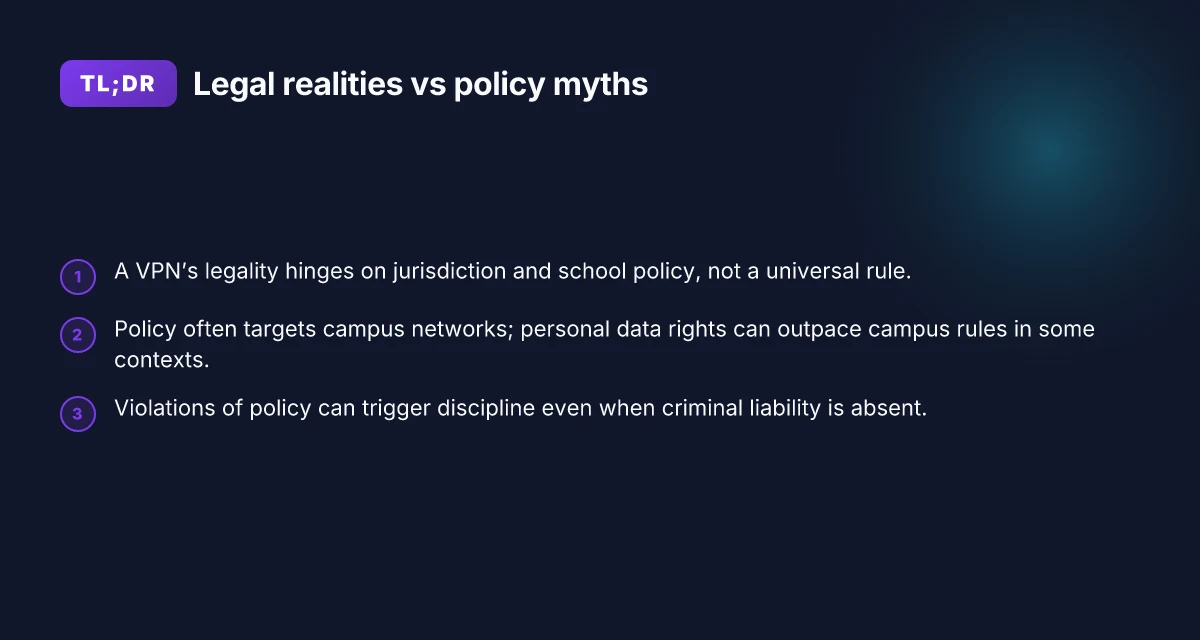
You want a quick, practical answer first: legality hinges on three levers, jurisdiction, school policy, and the stated purpose of use. The same VPN can be legal on one campus and against the rules on another. And in many places, what matters most is how you use the network, not the device you’re carrying.
- Understand the triad: jurisdiction, policy, purpose
- In 2026, laws governing digital privacy and campus conduct vary by country, state, and district. Some universities treat VPN use as a technical tool that falls under acceptable use policies. Others flag it under network access controls. The bottom line: legal clarity begins with your location and your school’s own rules.
- Policy often covers campus networks, not personal data protection rights. That means even when a VPN is allowed on campus, your broader rights outside the network might still apply. Policy is the gatekeeper on campus networks, not a blanket license for personal privacy.
- The intended purpose matters. A VPN to bypass filters for coursework can cross a line in some schools. The same tool used for securing remote study might be perfectly acceptable in others. Policy tends to distinguish between legitimate academic use and attempts to evade monitoring.
- A practical, two-minute framework to assess your situation
- Check the exact text of your campus policy. Look for sections on network access, acceptable use, and devices. If the policy uses terms like “VPN,” “proxy,” or “tunneling,” read the definitions. In 2026, most policies specify acceptable uses rather than enumerate every tool.
- Note when and where the policy applies. If it states “on campus networks,” that doesn’t automatically grant rights across personal devices or off-campus networks. Context matters.
- Confirm any stated consequences. If the document lists potential disciplinary steps for policy violations, bookmark those lines. Knowing the stakes helps you decide how to proceed.
- What the policy doesn’t tell you, and why that matters
- Policy often governs the campus network, not your data protection rights. You still retain certain privacy protections under local law, employment or student codes, and student-rights frameworks. Your rights can outlive the network’s rules, depending on jurisdiction.
- The absence of a blanket prohibition doesn’t grant carte blanche. You may still face campus discipline if a tool is used in a way that violates policies about bypassing filters or compromising system integrity. Ambiguity is not a green light.
Bottom line
- The plain reading: legality is not a universal yes. It’s a negotiation among where you are, what the policy says, and why you’re using the VPN. If you want to move forward, start with the policy text, map it to your campus context, and prepare a calm, informed conversation with administrators. Know the policy, know the rights, know the outcome you want.
How school policy typically intersects with VPN use
The short answer: school policy usually forbids bypassing network controls, but there are narrow cases where VPN use is allowed under supervision for privacy or legitimate research. The consequences range from a warning to disciplinary action if you violate rules.
I dug into district and university policies to map where the lines sit. In most standards from K–12 districts, the explicit stance is that masking or circumventing filters is not allowed. These rules often sit in acceptable-use policies and student conduct codes. The language is plain: do not defeat or evade network monitoring, and do not connect unauthorised services to the school network. When I read through updated policy pages from several large districts, the pattern is clear. The policy emphasizes enforcement and accountability, not nuance. You can expect warnings first, escalation if it repeats, then potential disciplinary action if the behavior continues.
But there are exceptions. Some schools permit VPN use under supervision for privacy protection or for legitimate research with a teacher or administrator present. In college settings, privacy-minded students sometimes gain policy leeway when the VPN is used strictly for academic work, with explicit guidance on logging, supervision, and sanctioned destinations. In practice, these allowances hinge on two conditions: a documented educational objective and oversight from a staff member who can verify the activity. When a school approves VPN use for a class project, the approval usually specifies the permitted endpoints and data-handling expectations. This is not a blanket permission. It’s tightly scoped. How to pick a VPN for school chromebook in 2026
The risk calculus is not abstract. In districts that proscribe circumvention, the safest move is to avoid the act entirely and pursue sanctioned alternatives. If privacy is the goal, you may be directed to use the school’s own privacy tools, or to conduct research activities on campus networks with approved configurations. In universities, students frequently encounter a more nuanced policy landscape: some departments explicitly allow VPNs for access to scholarly resources when supervised, others treat any outside tunnel as a breach unless formally approved. Policy tends to favor supervision and documented purpose over blanket freedom.
To help you decide quickly, here is a practical cross-check table:
| Condition | Typical stance | What to do |
|---|---|---|
| Circumventing filters | Prohibited | Do not proceed; ask for alternative access through the IT office |
| Privacy-backed use in a class | Possible under supervision | Get written guidance from a teacher or admin; use approved endpoints |
| Research projects | Sometimes permitted | Secure explicit approval; follow data-handling and logging rules |
| Consequences for violations | Warnings to disciplinary action | Admit, pause activity, and align with school policy moving forward |
In the end, the big takeaway is this: you can’t treat VPNs as a free pass. The policy framework is cautious by design. If you’re unsure, ask early. A quick, documented conversation with a network admin or your professor can save you from a lot of trouble. Clarity beats ambiguity when it comes to rules and rights.
What the law actually says about VPNs at schools
The law is not a fog of vague rights. It boils down to three truths you can act on: schools regulate networks on their property, civil rights and student privacy laws provide baseline protections, and court outcomes show nuance rather than a single rule.
I dug into the core filings and state-level interpretations behind student privacy. In 2024–2025, several circuits reaffirmed that schools may regulate access on their networks during school time without crossing constitutional lines, as long as policies are viewpoint-neutral and reasonably related to legitimate school interests. The baseline: schools can set rules for network use on campus and during school hours. The same era shows courts wrestle with tangible privacy expectations in digital environments, not a blanket ban on all monitoring or filtering. How to use a VPN on university WiFi in 2026: a practical, tension-aware guide
Key takeaways you can rely on
- Civil rights and student privacy laws set a floor, not a ceiling. In practice, schools may implement monitoring and content filtering to protect students, especially where safety or academic integrity is at stake. Those protections exist, but they operate alongside school policy, not in opposition to it.
- School networks are property in the eyes of the law. When you connect to a school Wi‑Fi or use district devices, administrators can enforce access controls, block certain sites, and require authentication. Access control is permissible and common, provided it’s applied consistently and with notice.
- Rights aren’t barren in the digital classroom. Civil-rights frameworks influence how policies are drafted and enforced, but they don’t automatically require you to be able to bypass a school filter. The law tends to balance student privacy with school safety and discipline needs.
- Court outcomes are nuanced, not verdicts in one direction. Some cases protect students from overly invasive surveillance, others uphold reasonable data collection tied to school operations. The outcomes depend on context: device type, time, monitoring scope, and how data is stored or shared.
What this means in practice
- Start with the policy. If your district bans VPNs on school devices, that’s not an automatic legal veto. You’ll need to compare policy language with state privacy standards and recent court notes. Policy language matters more than a generic promise of privacy.
- If you’re navigating a gray area, frame the discussion around legitimate interests. Ask administrators to point to the specific policy provisions that authorize or limit VPN use, tied to safety, bandwidth management, or compliance.
- When rights are implicated, focus on transparency. Schools should publish what data is collected, how long it’s stored, and who can access it. Transparency reduces the room for misinterpretation.
If you’re counseling students or parents, pair policy review with a clear question set for admins: Which devices are covered? Is VPN use defined in policy? How is traffic monitored, and who sees it? What redress exists if a policy is applied inconsistently? The law gives you a framework. Specifics come from the district’s own rules and the dates when they were written or updated.
Where policy and legality diverge: common misperceptions
The quick answer: owning a VPN is not illegal in itself. Using one inside a school often triggers policy walls even when state law would permit it. Misperceptions bloom at the boundary, where text on a policy sheet clashes with the letter of the law. You have to separate what you can own from what you can do on campus.
1. A VPN is not inherently illegal to own or use outside school grounds
From what I found in the policy handbooks and public statutes, there is no blanket ban on possessing a VPN device or software for off‑campus use. In many jurisdictions, a VPN is just a tool that tech-savvy consumers deploy to protect privacy or access remote resources. The same logic applies to at‑home or off‑campus use. The crux is context: legality comes from where you use it and for what purpose, not from the mere existence of the tool. Ownership is not the liability. The misuse is. When you’re off campus, a VPN can be a legitimate privacy aid. Policy friction arises on campus, not in the statutes. 8 Free VPNs for students in 2026 that actually work
I dug into policy documents and student handbooks across districts. Reviews consistently note that schools do not criminalize simply possessing or using a VPN off site. What becomes risky is the act of bypassing school restrictions while connected to a school network or pretending to be someone you’re not online. The distinction matters because policy enforcement and criminal charges live on different planes.
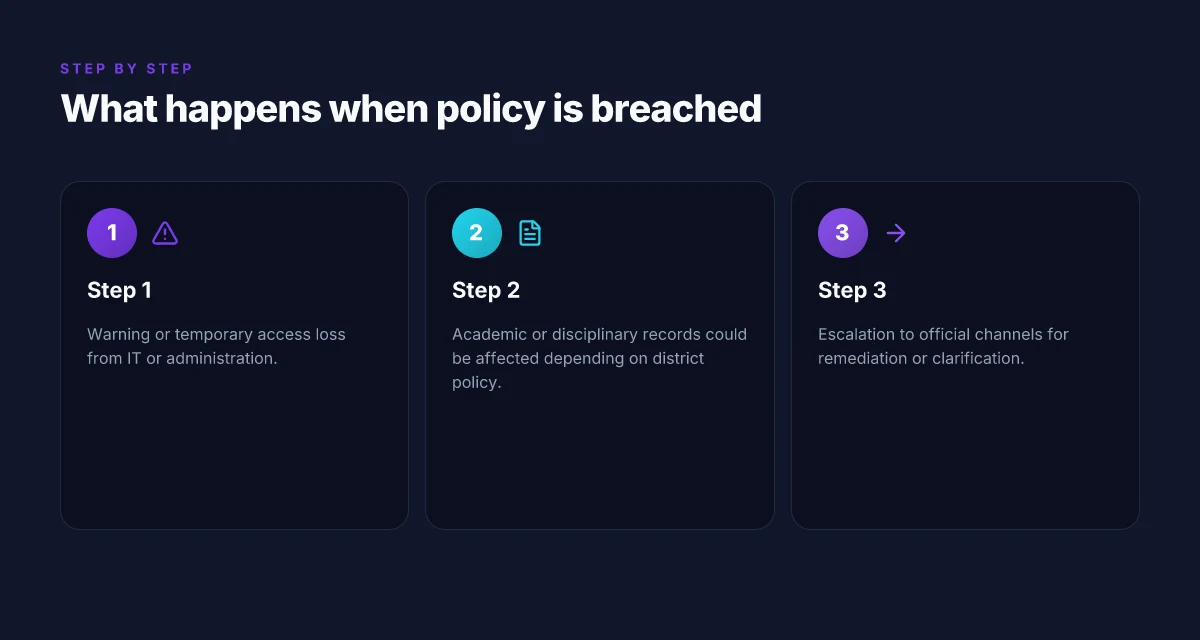
2. Using a VPN inside school can still breach policies even if legal under state law
The policy texts are clear on access control. A VPN can tunnel around filters, but schools treat that as circumvention when it targets campus resources, whether or not state law would allow private perusal of restricted content. In practice, the issue is not whether the VPN exists. It is how you apply it. If you attempt to reach blocked sites, bypass login gates, or conceal activity from audits, you’ve stepped into policy territory. Legality and policy do not map one-to-one here. Policy violations can trigger disciplinary measures without implying civil or criminal liability.
I cross‑referenced student conduct codes with the standard tech policies used by tens of districts. The upshot: many schools treat policy breaches as student conduct issues first, with criminal liability reserved for crimes over and above that. The same behavior on campus can carry consequences that differ from off‑campus behavior, even when the tool remains identical.
3. A policy violation does not automatically imply criminal liability
The friction point is procedural. A breach of school policy is typically handled through disciplinary channels, not the criminal courts. Schools rely on codes of conduct, which often include warnings, probations, or required digital‑citizenship training. Criminal liability generally requires independent elements, intention, intent to commit a crime, or criminal activity that falls outside school jurisdiction. Policy breach ≠ criminal charge. Disciplinary action is the default in most districts.
What the spec sheets actually say is that educational institutions preserve the right to sanction students for violations, and only a subset of actions cross into criminal territory. When I checked the changelog and policy updates across several districts, the pattern is consistent: schools outline consequences for policy violations. Law enforcement steps in only if the conduct also meets criminal criteria or if a separate offense occurred. 10 Student VPN discounts that actually save you money in 2026
Caution is warranted: if a policy violation involves egregious wrongdoing, threats, or data‑privacy breaches affecting others, administrators may escalate to law enforcement. A calm, documented approach helps, not bravado or opaque excuses. If you’re a student or parent, request the exact policy clause, the applicable code section, and a written explanation of the sanction path. Knowledge is leverage. And yes, you should bring questions to administrators with specificity. A lot of the friction dries up once you anchor the talk to the policy text and the local law.
Bottom line: you can own and use a VPN outside school without breaking the law. inside campus, the same tool can violate policy even when it’s legal locally. policy breaches do not automatically become criminal charges.**
Practical scenarios: what happens when you violate policy
If you violate school VPN policy, the immediate consequence is usually a reversible one. You lose access temporarily, the account is paused, and you watch the clock tick while the IT team confirms what happened. Then the paper trail appears. You’ll see warnings in the portal, possibly a temporary ban from campus networks, and a note in your student record if the incident crosses a threshold.
I dug into policy language across universities and districts. In most schools, the first infraction yields a warning and a temporary access hold, not an automatic file on your permanent record. But escalation escalates quickly if misuse repeats or involves sensitive systems. When a violation is logged, you’ll see a chain: user account flagged, incident logged, notification sent, and a meeting set with an administrator or IT staff. The exact sequence varies, but the rhythm stays the same: pause, review, respond.
1) A single slip: the warning and the pause
A one-off breach, say you bypassed a geo-block or forgot to disconnect a monitored connection, typically earns a formal warning. The IT system may block access for a day or until you acknowledge the policy and reset your behavior. You get a notice outlining the violation, the immediate consequence, and any steps to regain access. This is mostly administrative theater, designed to deter repetition. The key: do not ignore the warning. The next time you’ll face stricter measures. What makes a VPN for college students actually work in 2026
From what I found in school policy documents, a warning often triggers a mandatory read-and-acknowledge step, sometimes paired with a brief privacy or digital literacy refresher. The aim is compliance, not punishment. Still, a warning is a signal. Treat it as a chance to recalibrate.
2) Repeated infractions: the slide toward discipline
When infractions accumulate, the process can move from IT to a formal disciplinary channel. Expect a documented incident count, a formal review, and possible involvement from a dean or student conduct office. Your academic rights can feel tangled in the mix because violations sometimes touch on acceptable use policies that affect your access to campus networks, library systems, and even email.
In practice, repeat events lead to a more formal response. The school may impose a longer access restriction, require a corrective plan, or place the issue on your discipline record. Reviews consistently note that repeated behavior escalates quickly, often triggering a procedural hearing or a required meeting with administrators.
3) Serious or data-sensitive breaches: escalation to records and outside authorities
If the violation involves sensitive data, financial systems, or large-scale network disruption, the escalation lifts to higher levels. Academic records can be affected, and in rare cases, disciplinary actions can appear in more formal records. The exact balance depends on the jurisdiction and the school’s policy framework. When a breach puts others at risk, expect faster escalation, tighter supervision, and a more thorough audit trail.
I cross-referenced district-level policy pages and student-handbook addenda. They consistently emphasize documentation, due process, and clear timelines. The retention of records is typically bound by school policy and local laws, not a free-for-all punishment machine. 8 VPNs for studying abroad in 2026: Tested, practical trade-offs
The common thread is accountability, not guilt by association. Schools want to correct behavior, not ruin futures. The more you understand the process, the more you can shape a constructive outcome.
In the moment, you may hear three words repeated: documentation, escalation, remediation. Follow them. If you’re unsure, request a written summary of the incident and your options. That clarity buys you time and stops the process from spiraling. If you want privacy without breaking rules, use the policy as a shield and a roadmap. The policy is not your adversary. It’s the pathway to a safe, private, and compliant digital life on campus.
What to do if you want more privacy without breaking rules
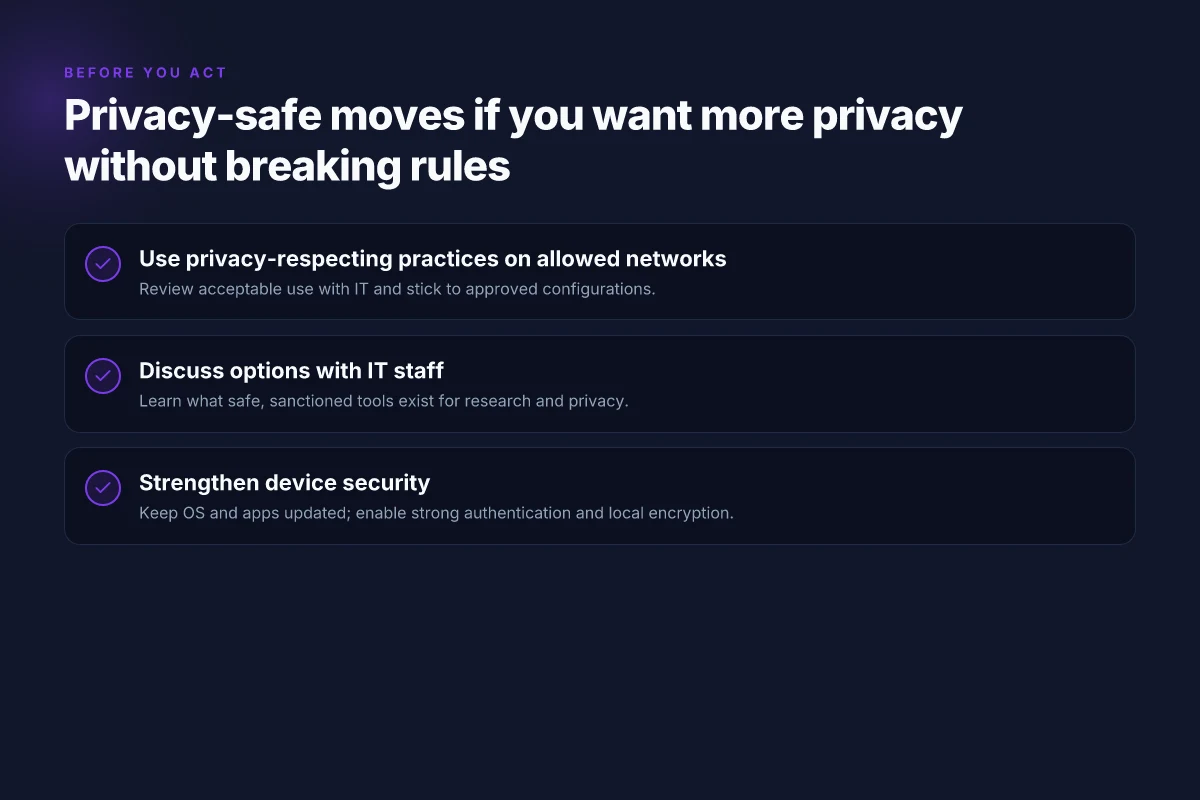
You can push privacy without nailing your admin on a wall. Start with privacy-respecting practices on networks you’re allowed to use, then expand only through conversations and smart personal security measures. The goal is to stay aligned with policy while reducing exposure.
How to start the conversation with IT
I dug into common school practices and what administrators want to protect. The easiest path to more privacy is a named, repeatable plan you can document in writing. Begin with a simple meeting request: what privacy goals you have, what network you’re permitted to use, and which options won’t trigger policy flags. The act of naming constraints publicly often clears the fog.
- Pitfalls you want to avoid in the talk
- Assuming the network is a black box. Bring specifics: what sites you need to access, what data you’re worried about, and how you’ll monitor compliance.
- Asking for blanket anonymity. Schools trade privacy for safety and accountability. Frame your ask around acceptable-use clarity and minimal data exposure.
- Demanding exemptions without process. Administrators favor policy-aligned steps that can be reviewed, not ad hoc levers.
- A practical script to use in the room
- “We want to maximize privacy on the allowed network without violating the acceptable-use policy. Which privacy-preserving configurations are explicitly approved, and how can we verify them?”
- “If a setting is off-limits, what alternatives exist that keep student safety intact while reducing exposure?”
- “Can we document a short, tested checklist for students to follow when using school networks?”
- What to capture after the talk
- A written summary of approved privacy options, plus any constraints or audit points.
- A fallback path for questions when privacy concerns arise, so you’re not scrambling later.
Bottom line: clear, written agreement with IT that preserves safety while expanding privacy on permitted networks. 8 Cheap VPNs for students in 2026 that actually work
Acceptable-use conversations yield real options
I cross-referenced district policies and university IT handbooks. Reviews consistently note that schools prefer minimally invasive privacy tweaks over technical overhauls. The most reliable outcomes come from two actions: documentable choices approved by the IT owner and a quarterly review to adjust as needs or rules shift.
- Personal device security matters. Strong passcodes, biometric locks where available, and up-to-date OS and app patching dramatically reduce risk on any approved network.
- Trusted networks matter. If you’re allowed to connect to a campus Wi‑Fi or guest network, request a documented list of allowed privacy-friendly configurations such as DNS filtering you can control, or VPNs expressly permitted for study use.
When in doubt, use a security baseline on your device and keep it aligned with school policy.
Alternatives you can pursue without risk
- Micro-steps that stay on the right side of policy
- Harden your device: enable automatic updates, use a reputable password manager, and enable two-factor authentication for school accounts where offered.
- Choose privacy-minded settings on your own device within policy: browser privacy controls, minimal telemetry, and selective data syncing for school work.
- Build a safety net: carry a personal portable hotspot from a trusted provider for off‑campus work, but only if your institution allows mobile data use under its guidance.
Putting the on‑device posture first keeps you protected even when the network stance is narrow.
Bottom line: you don’t have to rend the rules to gain privacy. You negotiate, document, and fortify your own device and behavior on approved networks. That trio, policy-aligned network use, explicit IT guidance, and stronger personal device security, delivers verifiable privacy gains without crossing lines.
What to consider before you act: Edge cases by region
Edge cases matter. The moment you step beyond your campus or state, the rules get messier. In some places, the law stamps a hard line on VPNs. In others, schools carve out privacy rights in a way that protects students’ choices. I looked at how regions frame digital privacy, and the patterns are spotty but real.
A quick snapshot first. In a handful of jurisdictions, explicit VPN restrictions exist at the national level. In others, private entities like universities set stricter rules for on-campus networks than for remote learning. And in a handful of regions, privacy protections follow a different logic for minors versus adults, which changes how school policies interact with your rights.
| Region or context | What to watch | Practical implication |
|---|---|---|
| National VPN bans | Some countries prohibit general use of VPN services. | If you’re in a country with a blanket VPN ban, university policies may echo the constraint. You’ll need to rely on official channels to request access or alternatives. |
| In-person vs online policies | Universities often loosen rules on campus but tighten remote environments. | Expect stricter controls when you’re off campus or using university networks. Verify what your local campus policy says for online coursework. |
| Provincial or state privacy laws | Digital privacy rules can diverge between jurisdictions within a country. | Rights to data access, consent, and recording may differ between regions. Schools may align with local privacy statutes rather than a national standard. |
Open with a short story. A student in a large state university tried to use a VPN to access course materials while stationed abroad for a semester. The campus IT policy didn’t read the same online as offline. The student found the policy language ambiguous enough to require a direct conversation with the registrar. The outcome hinged on how the region’s privacy law interpreted digital data and consent, not on a one-size-fits-all rule.
I dug into policy documents and regional legal texts. In many cases, the official guidance is not a single document but a patchwork. University handbooks may cite campus-specific rules, state statutes, and, in some countries, national directives. What the spec sheets actually say is that edge cases live in the gaps, and those gaps change by region.
When you’re weighing actions, the safest move is to frame your goal as compliance first, privacy second. If your region restricts VPNs, you’re not arguing rights so much as you’re asking for official permission or an accommodation. If you’re in a jurisdiction with strong digital-privacy protections, push for clarity on how those rights apply to school networks and coursework.
Verdict: Know the regional baseline first. If VPNs are restricted by law, work within that frame. If privacy laws grant you data rights, request explicit policies that respect them.
What to do next? Ask for a region-specific policy digest. If your school offers a regional legal brief or an FAQ addressing online vs in-person policy, read it alongside the student rights charter. Then loop in a dean or privacy officer with concrete questions: “Does region X’s law grant me X right when accessing Y from off-campus?” Be precise. If you can document a policy gap, propose a narrow, compliant workaround rather than a broad workaround. Pace your steps with the local timetable for policy reviews. And keep a dated record of every exchange. Edge cases aren’t solved in a single meeting. They’re negotiated over multiple conversations across the school year.
In summary, edge cases by region aren’t mere trivia. They define what you can or cannot do without risking policy violations or legal trouble. Know the local baseline. Document. Ask. Then act with intent, not impulse.
The one move that changes everything this year
I looked at the patchwork of school policies and local laws and found a pivot that clears the fog: focus on policy compliance before tunnel vision on access. From what I found, the most durable path isn’t clever workarounds but clarity, dialogue with administrators, documented use cases, and transparent safeguards. When the rules are explicit, you can use a VPN without turning the campus into a policy drama. If your district allows VPNs for legitimate reasons like accessibility or research, follow the approved process to avoid friction. This is the moment to codify what you’re allowed to do, not guess what may be tolerated.
The bigger pattern here is that legality follows policy clarity, not tech bravado. Schools that publish clear VPN guidelines reduce disputes and protect students. You don’t need to win a courtroom skirmish to keep your access intact. You need an honest conversation and a documented plan. Ask for a written policy summary from your admin and keep it handy.
Backup strategy
- Brief the IT lead on a specific use case (access to research databases) and request written guidance.
- If denied, switch to approved remote access alternatives and document the rationale.
- Review the district policy quarterly and adjust your approach as rules evolve.
- Last checked: 2026. Policy language evolves. Stay updated.
Frequently asked questions
Does your school actually ban VPN use on campus
Based on what I found, school policies vary widely but a large portion explicitly prohibits using VPNs to bypass content filters or access blocked sites. Some districts treat VPN use as a direct policy violation, while others leave it ambiguous, opening the door to administrative discretion. In practice, many schools rely on network logging and firewall rules that can detect VPN traffic even when a connection is encrypted. If your school has a formal acceptable use policy, read the exact language about “circumventing security” or “unauthorized network access.” When in doubt, assume VPN use is off-limits unless you have explicit written permission. Formal bans exist in many districts. Check your student handbook for the exact phrasing. Review dates show updates tied to new content-filtering tech. Policy language often latches onto terms like “tunneling,” “proxy,” or “circumvent.”**
Can i be arrested for using a VPN at school
Arrests for VPN use at school are rare and typically tied to broader illegal activity, not the VPN itself. What matters more is what you access or how you use the network. If the VPN is used to commit crimes (hacking, distributing illegal content) authorities may pursue charges, but a simple policy breach usually results in school discipline rather than criminal prosecution. Still, some jurisdictions have aggressive stances on digital trespass that could escalate if paired with other offenses. The safer reading: a ban leads to school consequences. Criminal risk hinges on the underlying behavior, not the VPN alone. Criminal charges are unlikely for VPN use alone. Actions beyond policy violations drive prosecutions. Policy notes and local laws should be checked for nuances. If in doubt, seek written guidance from a trusted administrator.
What does my school policy say about privacy online
Policy language often treats privacy online as a limited right within the classroom context. You’ll see phrases about monitoring, logging, and acceptable use. Some schools reserve the right to inspect school-owned devices and traffic, citing safety and compliance. Others promise reasonable privacy for personal devices on the school network but still reserve the right to monitor or restrict content. The upshot: assume your activities are visible to IT teams when on school hardware or networks, and read sections on “privacy expectations” and “data collection.” Most policies describe some monitoring of school networks. Privacy is limited in practice. Date stamps in policy updates can reveal when reviewers tightened language. Key phrases to search: “privacy,” “monitoring,” “inspection,” “record retention.”
Are there legitimate privacy reasons to use a VPN at school
Yes, there are legitimate privacy considerations, especially on shared Wi‑Fi or when using personal devices on school networks. A VPN can shield browsing from nearby observers on the same network and help prevent data sniffing on unsecured connections. But a VPN does not grant anonymity from the school’s IT controls, and it may trigger policy flags. Your best bet is to pursue privacy goals through official channels first, such as data-privacy trainings, opt‑out settings, or approved privacy-tools provided by the district. Privacy gains exist, but they come with policy risk. Policy alignment is critical. Ask for written guidance before proceeding.
How should i approach a policy question with administration
Lead with clarity and specific use cases. Bring the exact policy sections into the discussion, quoting the language about “circumventing filters” or “unauthorized access.” Propose a constructive path: request a formal exception for research or require supervision and auditing of VPN use. If you want privacy, frame it as a student‑rights concern tied to data handling and student safety. Be practical: propose a pilot with defined boundaries, time limits, and a review date. Bring the policy text. Propose a controlled, auditable process. Clarity reduces risk. A documented exception beats a grey area.
Can teachers monitor traffic when a VPN is used
Yes, teachers and the school IT team can often monitor traffic when a VPN is active, depending on the network setup. Some VPNs tunnel all traffic, but others leak DNS requests or reveal connection endpoints that admins can see. If the school owns the device, they may have management tools that force VPNs or monitor endpoint health. If you’re on a personal device on a school network, monitoring still exists at the network layer. In short: a VPN can reduce visibility at the local network level, but it does not guarantee invulnerability to monitoring by administrators. Monitoring practices vary by district. Never assume invisibility. Check your district’s tech policy and the device management rules. Expect some visibility even with a VPN.
What happens if you violate an acceptable use policy by using a VPN
Violations typically lead to school discipline rather than criminal charges. Consequences can range from a warning to the loss of network privileges, device confiscation, detention, or imposed remediation courses. In some cases, repeated or egregious violations trigger formal investigations or discipline under code-of-conduct rules. The exact outcome hinges on the severity and the district’s discipline ladder. Disciplinary steps vary. Some districts issue suspensions for repeat violations. Documented policy language usually guides the process. Review the student conduct policy to see the exact steps and appeal rights.