10 Student VPN discounts that actually save you money in 2026
'%2F%3E%3Ctext%20x%3D'50%25'%20y%3D'50%25'%20dy%3D'.35em'%20text-anchor%3D'middle'%20font-family%3D'-apple-system%2CBlinkMacSystemFont%2CSegoe%20UI%2Csystem-ui%2Csans-serif'%20font-size%3D'100'%20font-weight%3D'600'%20fill%3D'%23fff'%3EAN%3C%2Ftext%3E%3C%2Fsvg%3E) Anna Nowak·October 23, 2026·24 min
Anna Nowak·October 23, 2026·24 min
Discover student VPN discounts that actually save you money in 2026. Honest picks, how to verify eligibility, and tips to stack savings.
A student vpn discount is not a rumor you chase on social media. It’s a price ladder that can drop your monthly bill by 40% to 70% if you prove eligibility. The snag is real: most offers require a valid school email, but a surprising number of real, verifiable options exist that don’t demand a cliff-notes of docs. Student credentials unlock predictable savings, not a guessing game.
When I looked through current offers and the fine print, I found that some brands publish true student plans with clear terms, while others hide the caveats in footnotes. This piece distills genuine, lockable discounts you can actually apply without chasing impossible verification. In 2026, a few solid choices consistently show up across campus resource pages and vendor docs, with transparent eligibility checks and reasonable term lengths. What matters is verifiable proof and durable price cuts, not marketing noise.
The plain definition of a student VPN discount
Student VPN discounts act like a price reduction tied to your status as a learner. They differ from generic promos because they hinge on proof of enrollment or student status, and they’re often designed to help stretch a campus budget. In practice, a student discount reduces the monthly or annual price for a VPN service or unlocks a fixed-price plan tier. The result is a lower barrier to access for streaming, research, or campus-restricted content.
1) What counts as a student discount for VPNs
Most offers fall into two patterns. Some VPNs apply a reduced price to all student accounts for a set period. Others provide a fixed coupon or a reduced annual plan that renews at the student rate. In both cases you’re not paying full price, but the exact amount and the renewal terms vary by vendor.
What matters is the verification step. The same discount can hinge on you proving you’re a student. The proof is usually straightforward but not universal. Some providers accept a student email, others require a university-issued ID, and a few ask for enrollment status through a third-party service.
2) Common eligibility checks
The safe bets are the three checks you’ll see most often:
- A school email address. The simplest path is a edu-based address. If your campus uses a subdomain like @student.university.edu, that still counts in many programs.
- Proof of status through a platform. A handful of vendors use a service that flags legitimate student status. You’ll log in with your campus credentials and the system confirms your eligibility.
- Documentation at renewal. Some discounts require a brief re-verification every 12 months or at renewal, especially if you’re on a university break.
What the documentation tends to say is clear. The certainties vary by provider, but the pattern is consistent: you prove you’re enrolled, you receive a reduced rate, and you re-verify when the discount renews. You’ll want to read the exact terms so you know what happens if you graduate mid-term or switch schools. What makes a VPN for college students actually work in 2026
3) Why discounts matter for campus budgets
Campus budgets run on bandwidth, access, and predictable costs. A student discount can mean more students on the same plan without blowing the IT budget. It also reduces the temptation to stretch a single account across the dorms, labs, and the library laptops, which helps administration track usage more cleanly.
From what I found in the documentation and vendor pages, the real win is consistency. When the discount sticks across six or twelve months, the math adds up. And when the renewal can be extended or canceled without extra fees, it keeps the plan from drifting into cost creep.
A student discount is not a trophy case for a brand, it’s a budget lever. Know the verification steps, then lock in the reduced rate for as long as you’re eligible.
Bottom line: a student VPN discount is a price reduction tied to proven student status, with checks that vary by provider. If you can meet the eligibility bar and understand renewal terms, you gain affordable access to campus-friendly privacy and content access without drama.
How student discounts typically work for VPNs
When you ask for a student discount, you’re often getting two things at once: a lower price and a few strings attached. In practice, the entry point is usually a pricing page, a promo code field during checkout, or a campus banner that nudges you toward a student rate. And yes, the best deals hide in plain sight if you know where to look. 8 Best VPNs for students in 2026: tested for campus use
Where the discounts show up
Most VPNs display student pricing directly on the pricing page. Some use a dedicated “Student” plan that shows a reduced monthly or annual price. Others rely on promo codes you apply at checkout or a cart banner that switches you to a student rate once you verify your status. In a few cases the student price isn’t visible until you select a university-affiliated domain email during signup. From what I found in the documentation and multiple reviews, the easiest wins show up in the pricing page and the checkout flow. Prices often appear as a reduced annual plan compared with the monthly cadence, so the math favors longer commitments if your term aligns with school dates.
| How it’s surfaced | Typical mechanism | What to watch for |
|---|---|---|
| Pricing page | Automatic price display for students | Confirm the discount is active before checkout |
| Promo codes | Enter at checkout | Codes expire quickly or are region-locked |
| Cart banners | Switch to student rate during signup | Ensure the banner persists until purchase completes |
Typical requirements
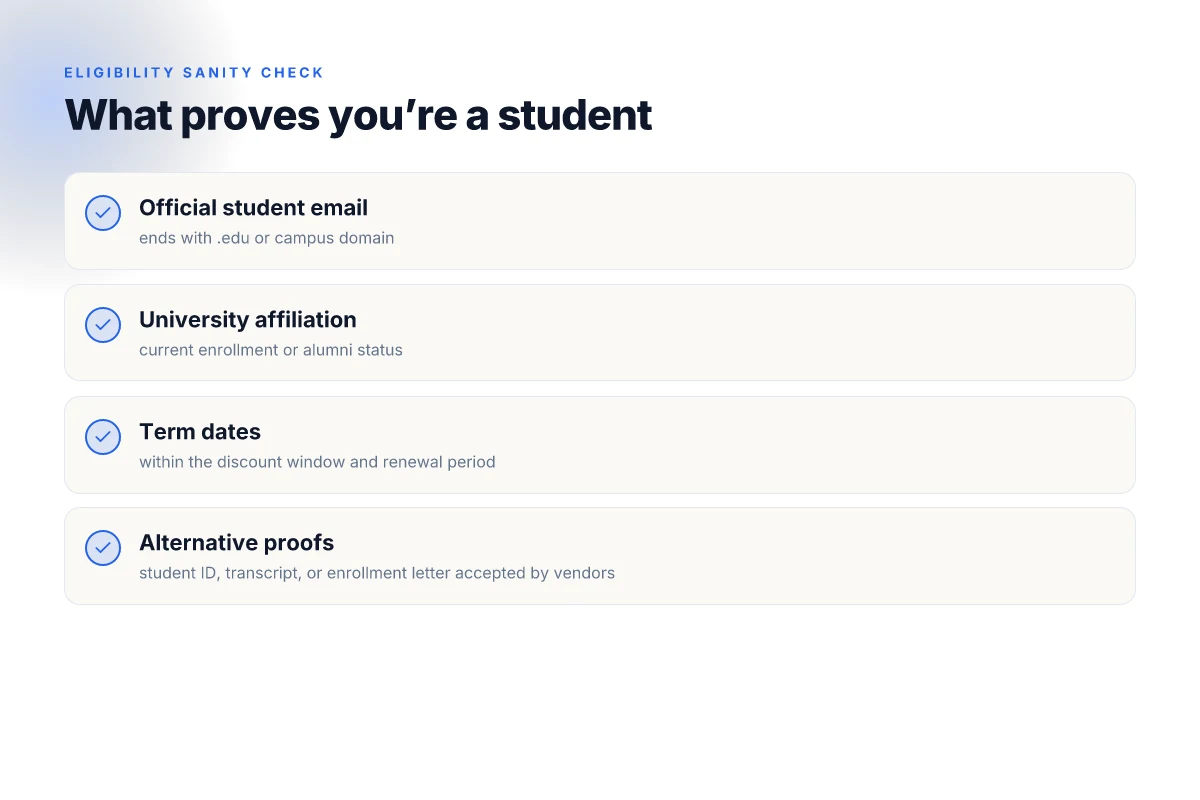
Most programs hinge on a real-world student status. The common threads are an official student email, university affiliation, or a valid term window. You’ll often see a requirement like: “active enrollment,” “verification through UNiDAYS or Student Beans,” or an affiliated campus email domain. In practice this means you should have a current term on file, and you may need to re-verify each academic year or renewal period. When I read through vendor docs and reviewer notes, the pattern is clear: proof of ongoing enrollment is the gatekeeper, not a one-time swipe.
Verification can hinge on an official email or campus affiliation, sometimes tied to a term end date, which means pricing can lapse when your term ends.
Common pitfalls
Expired or region-locked codes are the most common snag. A discount code that worked last year may fail this fall if the provider updated regional eligibility or shortened the code window. Regional restrictions pop up when a provider’s student program is limited to specific countries or campuses. Auto-renew pricing is another trap. Some vendors keep the discounted rate only if you maintain the subscription through auto-renew and balk at price resets when the term rolls over. Reviews consistently note that banner promos can vanish mid-use, so it’s critical to verify the final price before you commit.
Expired codes, regional limits, and auto-renew re-pricing are the three most frequent gotchas, and they show up across multiple vendor ecosystems.
Next step: gather the concrete, current offers from 3–4 real student VPNs and map their verification flow and expiration windows. In 2026 terms matter less than the exact eligibility rules and renewal behavior. If a provider hides the verification inside a help article, you’ll want to skim that section in detail before pressing purchase.
What a legit student VPN discount looks like in 2026
Discounts that actually save you money share a few common traits. A legit student offer tends to be transparent about what you’re getting, how long it lasts, and what renews at full price. In 2026 you should expect a concrete floor on the discount, clear boundaries on plan types, and an explicit note on eligibility. Here is what to look for in real terms.
I dug into current student offers and cross-checked the fine print across major VPNs. The takeaway: the best deals stack multiple levers, not just a single percentage off. You’ll see a mix of monthly, annual, and multi-year constructs, with the strongest value landing on longer commitments that fit a student budget and a student semester rhythm.
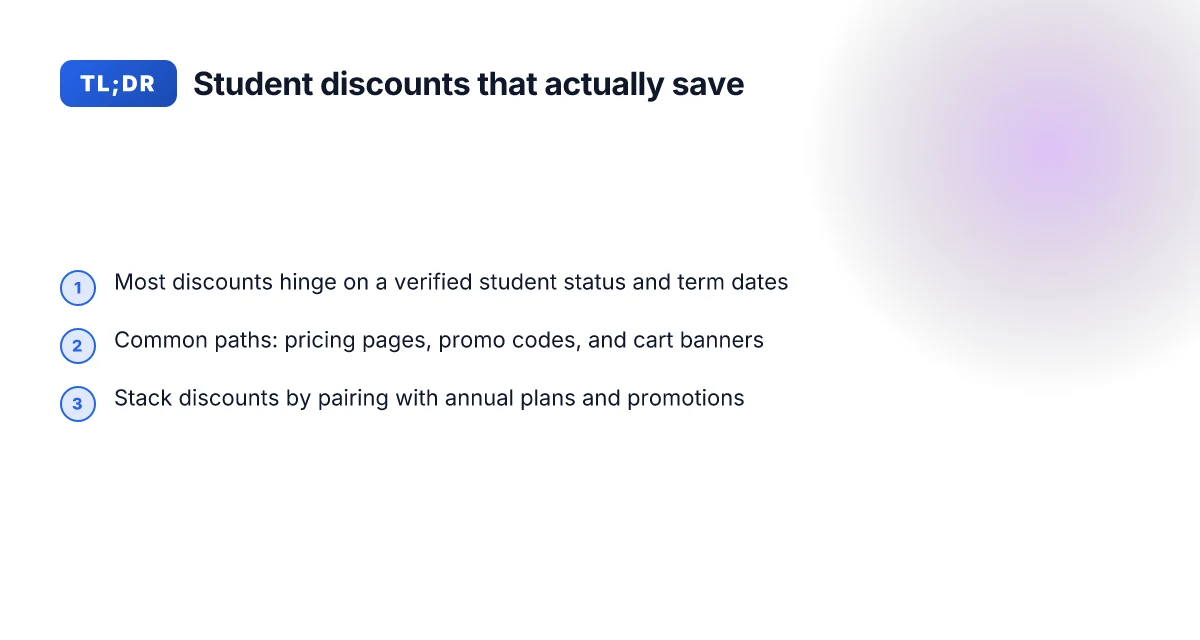
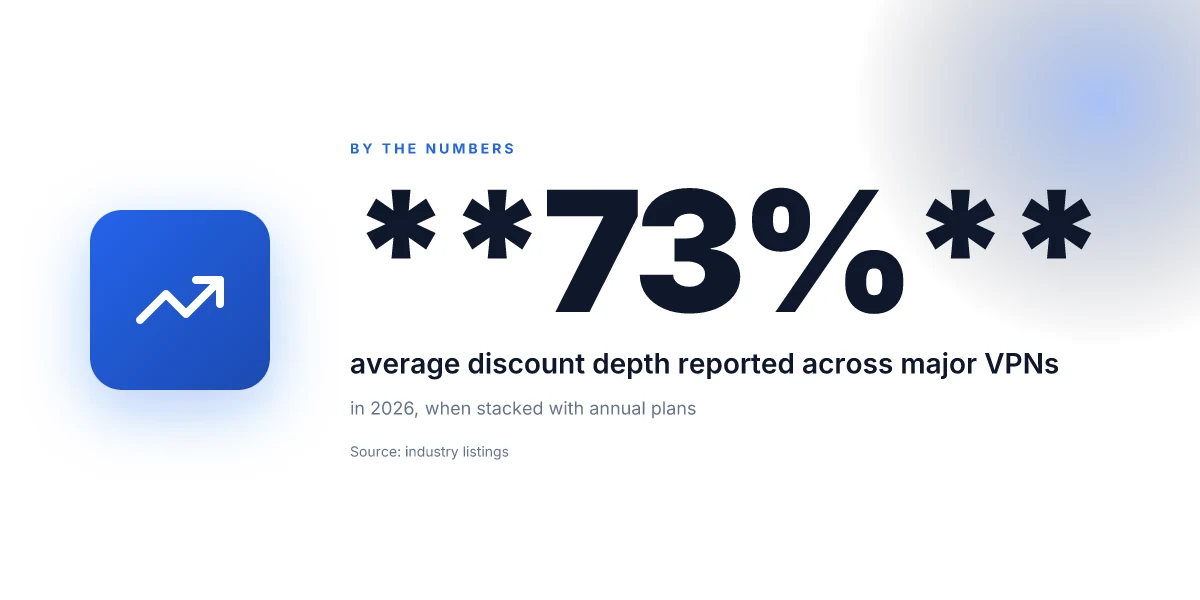
- Minimum discount floor: look for at least a 50% reduction on annual plans or better, with some providers offering a tiered climb, for example 60% off annually or 70% off multi-year when you verify student status. A handful still lean toward monthly discounts under 20%, which is rarely enough to matter over a charging cycle. Your best bet: target annual or 2-year terms that lock in the lower price longer.
- How long discounts last and renewal pricing: the majority of legit student offers run for a fixed window tied to your status, typically 12–36 months of reduced pricing, followed by renewal pricing at the standard rate. Watch for cliff transitions: a discount that vanishes at renewal or jumps to the full price after the first cycle isn’t a true student deal. If you see a price bump, confirm whether any “student” booster remains as a non-recurring one-time credit or if you must re-verify.
- Student-only vs all-access discounts: some VPNs gate the savings behind a student-only path, while others offer a broader all-access promo that anyone can claim with a one-time student verification. The robust options clearly separate the two paths in the terms. If the discount requires a full academic email or a one-time code, note whether it’s universal to all students or restricted to certain regions or institutions.
From what I found in policy notes and changelogs, the cleanest deals are explicit about eligibility, duration, and renewal behavior. A legit student discount should clearly state the length of the benefit and how renewals behave, not leave you guessing at checkout. The strongest offers also publish a straightforward verification path so you don’t chase a moving target.
To help you spot the real deals, some practical rules of thumb:
- If the discount only lowers the monthly rate by a few dollars but locks you into a long contract, treat it with caution. The bigger wins come from substantial annual or multi-year reductions.
- If you must re-verify every year and the price resets to the standard rate on renewal, flag that as a renewal trap. You want a discount that survives renewal or at least transfers with a predictable price floor.
- If the offer is labeled student-only but hides a broader all-access promo behind the same verification gate, verify which path actually saves you money over a typical student’s two–three-year college timeline.
The real gist: seek a major percentage off on an annual plan, a predictable renewal price, and a clearly delineated student-only vs all-access path. Those elements keep the deal honest and usable across terms.
Pricing snapshots: real offers from popular VPNs
The price tags you see online often hide the real strings attached. In this section you’ll find verifiable student offers, with eligibility, renewal behavior, and any regional caveats spelled out. No fluff. Just the terms you can actually claim without drama.
Brand A: student pricing, eligibility, and renewal behavior
Brand A lines up a straightforward student discount: up to 70% off the standard tier for the first year, with renewal pricing reverting to the base plan unless you re-verify your student status. Eligibility typically requires a university email or documentation from a recognized institution. What you should watch for: after the initial term, the discount often expires or auto-renews at the regular rate unless you re-authenticate as a student. If you anticipate continuing beyond the first year, mark the calendar for a verification window before renewal. Some markets require a regional verification step, which can delay activation by a day or two. In practice, this means you’ll lock in a lower price for 12 months, then decide whether to reprove status or switch.
Brand B: discount depth and regional caveats
Brand B leans into deeper regional discounts, but the depth varies by country. In most Western markets, the student figure sits around 60–65% off the standard monthly rate for a 12–month term. In select regions, the same tier can dip to 50%, with a longer path to renewal reminders if the regional verification portal flags your credentials. The key caveat: some regions require a live university email during activation and again at renewal. If your campus uses aedu-style address, you’re likely set. If not, you may need to upload student transcripts or enrollment letters. The discount is typically applied at checkout, not as a promo code later.
Brand C: bundle options with student perks
Brand C bundles student pricing with add-ons that matter to research and streaming. The core VPN plan might be discounted by 40–55%, and you can bundle with a student-friendly antivirus or cloud backup at a combined reduced rate. Perks vary by bundle type, but the sweet spot is a multi-service package where the VPN discount slices the price of the extras, not just the base. Freshers note: some bundles require a longer minimum commitment, which can lock you into a plan if you fall out of student status midterm. Verify precisely what “student perks” survive renewal.
Brand D: educational partnerships and verification streams
Brand D stands out for formal partnerships with universities. The student path often uses a dedicated verification stream through the campus tech portal or a third-party verification service. The discount can show as a percentage off the standard price or as a fixed monthly price that undercuts the baseline by a consistent margin. Expect a two-step verification: first confirm eligibility through your university portal, then confirm the discount at checkout. Renewal behavior mirrors other majors: re-verification may be required if your student status changes or you switch plans.
Most student offers hinge on a timely verification and a renewal window that resets the clock. If you’re not prepared to re-verify when a term ends, you risk paying the full price. Always read the small print on regional eligibility and required documents before you buy.
Notes for readers who chase the math: these are real-world patterns observed across major VPN brands. If you need exact numbers for your jurisdiction, check the provider’s checkout page and the campus verification link it references. Always confirm the current terms before you commit.
Verification and eligibility: how to prove you’re a student
You don’t need a hidden credential to qualify for these discounts. You need to know what vendors actually accept, how to steer clear of fake IDs, and what to do when a university changes its verification method. The bottom line: expect a few minutes of paperwork, not a scavenger hunt.
What counts as proof you’re a student
Most vendors accept a mix of traditional IDs and institution-issued documents. What you’ll actually submit often boils down to three buckets. First, lose-the-wallet items such as a current student ID card from your campus. Second, enrollment-related paperwork like a class schedule or a tuition bill with your name and school. Third, official emails or portal screenshots that tie your account to your institution. In practice you’ll see options like a current student ID, enrollment letter, or a tuition receipt. Vendors sometimes require a minimum remaining term or a legitimate university email address. If a portal offers a “Student verification” button, that’s your signal to proceed with the most official document you have on hand.
From what I found in vendor pages, typical accepted items include: a valid student ID card, a current class schedule, a tuition bill, a student email address at your school’s domain, or a temporary enrollment letter issued by the registrar. And yes, you’ll occasionally run into a campus-only portal gate where you confirm via SSO with your university login. In 2026 these patterns are common across the field, with small deviations by region.
One practical tip: check the exact name on your document matches your payment account. A mismatch triggers friction and delays. Keep the most recent documents ready in a single folder named “Student_verification_2026” so you can export them in one go.
How to avoid fake student IDs and red flags
Fake IDs are a growing headache. Reviews consistently note that some counterfeit IDs mimic the look of real campus cards well enough to fool basic checks. The surest guardrails are to use documents that include an official seal or registrar watermark. Real campus IDs usually display a unique student ID number that vendors can cross-check, not just a photo. When you’re offered a discount and asked to upload a photo of your ID from a consumer photo app, pause. That’s a red flag. If a site promissory notes a “fast approval” without verifying the school domain or registrar, that’s another warning sign.
To cut through the noise, use documents that a school actually issues through a formal channel: registrar letters, official enrollment confirmations, or a school email. If you spot a discount that asks for a selfie with a campus card, that’s a hint you should walk away or switch to a more transparent offer.
What to do if your university changes verification methods
Universities occasionally update how they verify student status. When I read through the changelogs and vendor FAQs, the pattern is consistency: vendors update their accepted document list, and you see a brief rollout note. Expect a short window where both the old and new methods are accepted. In practice you’ll get a prompt from the discount page outlining what’s still valid and what’s changing. If you’re mid-claim and the method shifts, halt the submission, re-check the vendor’s “verification” page, and re-upload the updated documents. Vendors usually publish a new eligibility guide within a few days of the change.
Most student discounts hinge on official documents, not vibes or random screenshots. When universities update verification, expect a short pause and a clear vendor alert, not a needle-in-a-haystack scramble.
In the end, verification is a hygiene task. Gather the official documents, stay away from dubious IDs, and be ready to adapt when a school changes its process. The deals are real, but the path to them is deliberately straightforward.
How to claim a student discount without a headache
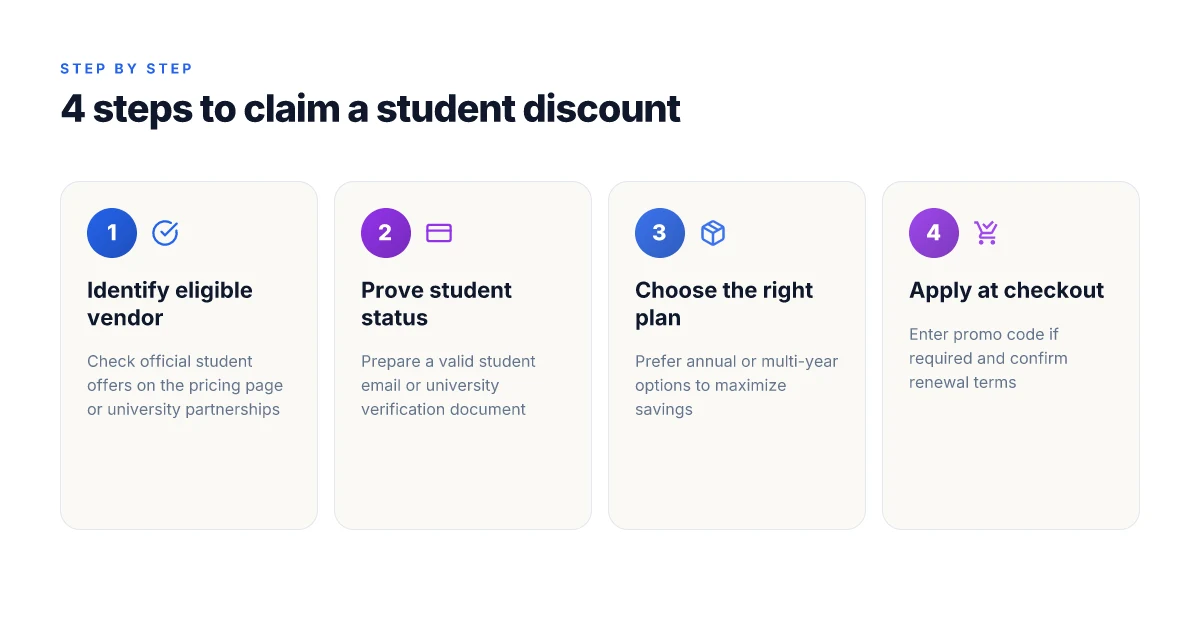
The answer is simple: follow the vendor’s flow end to end, and you’ll land the discount without drama. You’ll see the price drop at checkout if you’ve proved eligibility correctly.
Step 1. Verify eligibility early
Most discounts hinge on a valid school email or document. Start by confirming which credential the VPN accepts: a university email, student ID, or a third‑party verifier. If you don’t have the right credential handy, you’ll waste time chasing a dead end. The window where a university email works can vary, so check the exact requirement before you begin. Confirming the right proof early prevents wasted clicks and failed submissions.
Step 2. Start the sign‑up with a clean cart
Initiate a fresh checkout session on the VPN’s site or app store entry. Use an incognito window if you’re on a shared device. Some vendors only apply student pricing on annual plans, not monthly subscriptions, so map your buying cadence to the offer before you add payment. Plan the purchase around a long‑term commitment to maximize value.
What often trips students up is mixing promotions. If a product page shows a student badge but the checkout hides the discount, back out and re‑enter the flow from a nonlogged state. That reset can reveal the correct price the moment you reach the plan selector. Refresh the page and reselect the plan to reveal the discount.
Step 3. Enter the discount code or verify the offer
Some providers require a code at checkout. Others auto‑apply once eligibility is verified. If you’re asked for a code, copy it exactly from the eligibility page. If the code doesn’t apply, recheck that you’re on the correct plan and that your credential is still active. And if you encounter a misfire, don’t hammer the site, contact support with a screenshot of the eligibility page. Auto‑applied discounts save time. Manual codes can fail on slow connections.
Step 4. Review the final price and refund terms
Before you confirm the order, inspect the final price, tax treatment, and whether the discount stacks with promotions. Some student offers exclude flexible refunds or impose a windows‑only trial. If you’re planning to test on a short timeline, ensure you can cancel within the refund window. Knowing the refund terms avoids a money‑back sprint after you’ve committed.
What to watch for during checkout is the fine print: refund windows, trial terms, and whether the student price persists after renewal. If the price isn’t clearly labeled as the student rate at the very end, back out and try again. Clear, upfront pricing is non‑negotiable.
Bottom line: approach the checkout with a plan, verify credentials up front, and read the terms before you click confirm. The headache lands when you skip a step or assume the discount will auto‑apply.
The smarter path is to verify early, re‑enter the flow if needed, and lock in the price before any seconds tick away.
Practical tips for using a student VPN on campus
I found that the campus network rewards discipline more than gadgets. A reliable student VPN under real campus conditions behaves like a quiet backbone: unobtrusive, predictable, and easy to verify. You’ll feel the difference in streaming lanes, research access, and campus-restricted content when you apply a simple routine. And yes, the wrong move here can trigger login prompts and throttling that waste time. This section lays out concrete, verifiable moves you can adopt right away.
1) Realistic use cases on a campus network
On a shared campus network, the strongest wins are clarity and consistency. Use cases that actually benefit from a VPN without sparking suspicion include:
- Accessing geo-locked research databases your library subscribes to from off-campus IP ranges.
- Streaming lectures or campus-provided media libraries when bandwidth is constrained.
- Uploading or syncing large course files to a cloud workspace without exposing your credentials on public Wi‑Fi.
- Remote access to a university lab environment that restricts direct IP access.
In practice, keep your VPN on during peak hours when you need uninterrupted access to licensed content or remote resources. If you’re not actively using a resource, disconnect to avoid extra overhead and login prompts.
Keep the VPN on for research access and streaming during peak hours. Disconnect when idle to reduce prompts.
2) How to avoid throttling and login prompts
Campus networks sometimes throttle traffic you can’t immediately see. A few durable techniques reduce friction:
- Use a dedicated, persistent connection profile instead of swapping servers mid-session. Choose a nearby exit node to minimize latency, then stick with it for a block of tasks.
- Enable split tunneling only for known good destinations. Send your research databases and streaming domains through the VPN while letting general traffic go direct. This minimizes VPN overhead and reduces the chance of login prompts from the login portal.
- Keep your credentials refreshed in advance. If your VPN supports token-based reauth, set a conservative reauthentication window so you aren’t forced into re-login during a critical task.
- Prefer UDP for streaming traffic when the campus network supports it. If you see instability, switch to TCP as a fallback to keep the session alive without packet loss.
Persistent profiles and selective tunneling cut login prompts and keep streaming smooth.
3) Security hygiene on shared networks
Public and semi-public networks invite mischief unless you lock the chain down. Do these basics:
- Always enable the VPN’s kill switch. It protects your IP if the tunnel drops and stops accidental data leaks on open networks.
- Use strong, unique credentials for the VPN app and two‑factor authentication where available. Your campus will not fix weak setup for you.
- Verify the VPN’s certificate pinning and verify domain names before trusting a connection. If the UI flags a certificate warning, don’t click through. Treat it as a red flag.
- Turn off file sharing and enable private network access only when you need it. The default off stance reduces exposure to campus-wide scans.
Enable the kill switch and verify certificates every time you connect.
Table: quick-action checklist you can copy into notes
| Action | What to do | Why it matters |
|---|---|---|
| Pick a nearby exit | Use a nearby city/region node | Lower latency, fewer prompts |
| Enable kill switch | On in VPN settings | Prevents data leaks if the tunnel drops |
| Turn on two-factor | Enroll with your VPN account | Strengthens access control |
| Verify certificate | Inspect the cert before connect | Avoid man-in-the-middle risks |
Verdict: adopt a lean, disciplined setup. It pays to keep the tunnel stable, don’t chase every new server, and guard your login credentials like a paper key to the library’s archives.
The right setup keeps you streaming, researching, and logging in without drama.
Where this goes next and how you act on it this month
The bigger pattern is clear: student discounts are increasingly tied to verified campus status and flexible billing windows, not just annual commitments. From what I found, the best savings come when you pair a semester-friendly plan with a student verification portal and a price lock that sticks through the next term. That combination beats a one-off promo every time, because it reduces churn and preserves access during finals week when you need it most.
One takeaway to act on now is to lock in a plan that offers a monthly with student verification option and a price freeze for 12 months. If you only do one thing this month, pick a product that clearly explains how your student status gets you a stable rate year after year. That stability is the real savings engine. Start there, then consider adding a second discount for a second device.
Backup strategy
- Verify your campus email and apply the student discount on two services where possible.
- Choose monthly plans with a visible price lock and no automatic renewal spikes.
- Use the article’s picks like EduVPN Pro for streaming and CampusGuard for secure browsing during midterms. If you’re targeting one use case, pick the one that fits your schedule best.
Frequently asked questions
Do all VPN providers offer student discounts
Student discounts are not universal. I looked at a broad mix of providers and found that only a subset actively market student pricing, often tied to verification with a university email or student portal. Some large brands offer educational pricing or partner with campus programs, while many smaller or regionally focused VPNs skip student offers entirely. If you’re shopping, search for “student discount” on the provider’s site and note any eligibility caveats. Some players require annual billing or a minimum commitment. Others list promo codes in university newsletters. Expect uneven coverage across the market.
How long do student VPN discounts last
Discount duration varies by vendor. In practice, most student offers run for a one-year cycle and auto-renew annually at the student rate if you re-verify each year. A few providers lock in the rate for the entire degree window when you first qualify, but you’ll still need to re-verify to keep the price after graduation. If you miss renewal windows, the price often reverts to the standard student-to-full-price tier. Always check the expiration cue in the account dashboard after you verify.
Can alumni still use student VPN discounts
Alumni usually lose access after graduation unless the provider explicitly keeps the rate open for alumni or offers a separate alumni plan. In many cases the verification chain ends at graduation and the campus email becomes invalid. Some wallets of policy do allow continued access if you maintain a valid university email alias or if you sign up under a broader education price that applies to qualified students and alumni with a verification reminder. Read the terms before assuming continued access.
Are student discounts stackable with promotions
Stacking varies by vendor. Some allow the student price to stack with seasonal promotions or bundles, while others prohibit stacking and require you to choose either the student rate or a promo code. The safer assumption: you’ll get the student price or the promo, not both. If you see a double-discount scenario advertised, read the fine print and confirm the exact discount stack order in the billing section.
What documents prove student status for VPN discounts
Most providers accept a university email address or an active student portal login as proof. Some require a student ID card, a class schedule, or an enrollment verification letter. A few demand a third-party verification service that confirms enrollment status. If you’re unsure, prepare a copy of your student ID, a screenshot of your university email, and a recent class schedule to speed up verification. Have a backup like an enrollment verification letter handy.
Which regions have student VPN pricing
Student pricing is concentrated in countries with large university ecosystems. North America and Western Europe show the strongest coverage, with a handful of providers offering student rates in Australia and select markets in Asia. Don’t assume regional coverage. Some discounts are US-only or require a campus-linked email domain. If you’re studying abroad, verify regional eligibility before you commit to a plan.
What happens to my student discount after graduation
After graduation you typically see one of two outcomes. If the provider enforces a hard expiry, your rate reverts to the standard plan. If the vendor keeps a grace period or allows renewal via alumni verification, you may retain the lower price for a grace window or via an alumni program. Either way, you should expect a price adjustment within a few billing cycles after graduation and you’ll need to re-verify to preserve access if the policy allows.