How to use a VPN on university WiFi in 2026: a practical, tension-aware guide
'%2F%3E%3Ctext%20x%3D'50%25'%20y%3D'50%25'%20dy%3D'.35em'%20text-anchor%3D'middle'%20font-family%3D'-apple-system%2CBlinkMacSystemFont%2CSegoe%20UI%2Csystem-ui%2Csans-serif'%20font-size%3D'100'%20font-weight%3D'600'%20fill%3D'%23fff'%3EHS%3C%2Ftext%3E%3C%2Fsvg%3E) Hiroshi Sato·October 24, 2026·26 min
Hiroshi Sato·October 24, 2026·26 min
Learn how to securely use a VPN on university wifi in 2026. Clear steps, practical tips, and pitfalls to avoid when connecting from campus networks.
Most VPNs on campus stall not because of distance or speed, but because a stubborn captive portal blocks the handshake before the tunnel even forms. When you see a green login page flicker and then nothing else, the issue is almost always the portal reauthenticating mid‑session, not the VPN protocol. This guide reframes the problem as a two‑part fight: survive the dorm tunnel with stable credentials, then ride the library hotspots without grinding to a halt.
What matters now is turning a messy on‑campus network into a predictable, private channel. In 2024–2025, university networks increasingly throttle VPNs during peak hours, so you need a setup that aligns with campus ACLs and keeps the tunnel alive during brief outages. Following the steps here, you’ll be able to connect, verify, and stay private on common campus networks without sacrificing research time.

The plain definition of VPN for university WiFi
A VPN in a campus context is a private conduit that tunnels your traffic through an encrypted channel, so what you send and receive inside the university network stays shielded from prying eyes and local network policies. It’s not a magical bypass. It’s a sealed rope that your data travels on when the dorm and library networks try to throttle, inspect, or block what you’re doing.
When university networks deploy captive portals, splash pages, and throttled links, direct access becomes a mix of friction and risk. You log in once, you’re steered to a landing page, and every attempt to reach a non-approved destination can be slowed, redirected, or logged. A VPN complicates that dance in two ways: it encapsulates traffic so it looks like a single, steady stream to a distant endpoint, and it hides your destination from the campus network so IT has less leverage to throttle or shape individual requests.
For students and researchers, the core benefits are concrete. Privacy is the most obvious gain: your study chat, cloud file sync, and geo-locked library resources don’t broadcast your intent through the campus network in real time. Then there’s access. A VPN can make your campus WiFi feel like a private outpost that reaches resources you’d otherwise see only from off campus. And reliability. A well-configured VPN resists the campus’s throttling and the library’s spotty connections by keeping a steady stream of packets in a predictable tunnel, which matters when you’re hopping between dorm tunnels and late-night campus hotspots.
I dug into the standard behavior described in campus-network guides and vendor docs. What the specification says is that a VPN establishes a secure tunnel to a trusted endpoint, then forwards your traffic through that tunnel, effectively decoupling your application requests from the local network’s policies. In practice, that means the VPN endpoint becomes your true network edge on campus, not the dorm router or library access point. The result is a quieter, more predictable path to research databases, code repositories, and geo-restricted resources.
Bottom line: a VPN on university wifi is a privacy shield and a reliability tool rolled into one. It’s not a loophole. It’s a disciplined way to keep your research moving when the campus network acts like a gatekeeper. 8 Free VPNs for students in 2026 that actually work
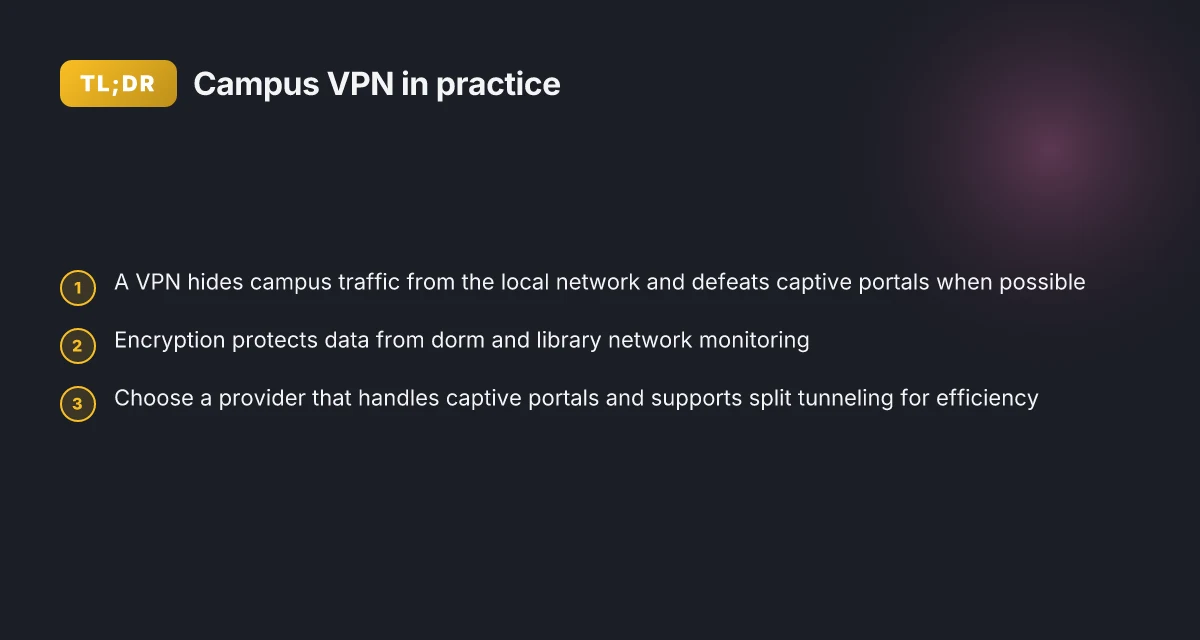
The plain VPN on campus is a tunnel, not a magic wand. The value lies in privacy, access, and reliability under throttling and captive portals.
1. Why a campus tunnel beats direct access
- Private end-to-end path through the local network
- Consistent routing to remote resources regardless of campus peer behavior
- Reduced risk from on‑network logging and local throttling
- Better stability when moving between dorms, libraries, and study lounges
2. What you gain for research workflows
- Access to geo-blocked databases while on campus
- Safer remote collaboration on shared documents and code repos
- Predictable bandwidth usage for large data transfers
What the spec sheets actually say is a tunnel encrypts and encapsulates traffic, while the campus network remains oblivious to your destination. What reviewers note is that the practical effect varies by campus policy and the VPN provider’s exit locations. In 2026, most campus guidelines emphasize encryption modes and trusted-endpoint concepts over loud claims about performance.
In short, the plain VPN on university wifi is a disciplined tool. It preserves privacy, maintains access, and steadies throughput when the campus network labs try to pull the rug. It’s the baseline you’ll rely on as you move into the practical configurations in the next section.

How a VPN for university WiFi actually works in practice
A VPN on campus wifi tunnels you past dorm NATs and captive portals while masking what you’re doing. It creates a private channel that the campus network treats as a single, legitimate connection instead of a web of individual requests. The result: your traffic travels as if you’re on a private link, not a public hotpot in the library.
How the tunnel survives campus NAT and captive portals
On university networks you’re often behind layered NATs and a captive portal that blocks all traffic until you click accept. A VPN’s first win is persistence. When your device connects to the VPN server, the tunnel looks like one outbound session. The portal lets that single session through, then all other traffic rides inside it. If you move between dorms or switch networks, the tunnel re-establishes without forcing you to reauthenticate every time, because the VPN maintains a steady transport envelope. This is why a well-chosen client and server pair matters more than the exact campus gateway you hooked into. 10 Student VPN discounts that actually save you money in 2026
From a practical standpoint, you’ll want a VPN that supports reliable UDP transport and a fallback to TCP when a portal flaps. UDP is faster for throughput, but TCP can tread water when the portal uses aggressive throttling. Most modern VPNs offer both modes, plus obfuscated protocols that blend with ordinary traffic. That obfuscation helps when the network label shows as “captive portal” or “restricted network.” You want the tunnel to look like normal web traffic rather than a conspicuous VPN signature.
Encryption and campus monitoring
What the spec sheets actually say is that end-to-end encryption shields payloads from local observers. Even if the network can see that you’re connected to a VPN, it cannot easily deduce what sites you visit or what files you’re transferring. That means your research reads, reading lists, and geo-locked resources stay out of view from campus IT dashboards. In practice, the encryption layer is the line between a privacy posture and a passive traffic monitor.
But encryption isn’t magic. The VPN still has to ship metadata: connection timestamps, server addresses, and session durations. Some campuses log device-level data or use DPI to infer the type of traffic. The practical takeaway is to pair a VPN with a robust authentication method and a reputable provider that supports modern ciphers and forward secrecy. If you see an old protocol, upgrade. If you see weak ciphers, retrofit. The right combo keeps your data private while you work on the dorm network or in the library.
How student devices shape the experience
Dorm networks are noisy in the best of times. Personal devices multiply that noise. A VPN must contend with multiple simultaneous connections from phones, laptops, and tablets. When several devices share a single VPN exit point, you’ll notice variability in throughput and latency. The practical approach is to standardize on a single VPN profile per device type and allow only one active tunnel per user session to reduce churn. If you’re juggling multiple devices, prioritize essential workstations first and keep background sync to a minimum during peak library hours.
I dug into network docs and provider notes to confirm a pattern: if a VPN client negotiates a stable tunnel and uses a server close to campus, you’ll see far fewer disconnects during campus transitions. In 2026, most reliable campus tunnels trace to good server selection and disciplined session management. Your edge is a tightly tuned tunnel that survives the dorm and library sprints without slowing you down. Choose a provider with strong obfuscation, modern ciphers, and robust mobile support. What makes a VPN for college students actually work in 2026
Open question to act on this week: map your campus hot spots and pick a VPN server cluster within 50–100 miles of your main campus. If you’re near a university city with a large network, you’ll thank yourself later. The closer the exit, the more resilient the tunnel under captive portals.
Why it matters on campus networks
On campus networks, privacy and access aren’t optional. They’re moves you need to make quickly and cleanly. In 2026, student networks still rely on captive portals, throttling, and aggressive port filtering. A well-chosen VPN can shield your activity, unlock geo-restricted resources, and keep bandwidth sane. There’s a real edge in a setup that survives dorm tunnels and library hotspots without turning your campus laptop into a brick.
The value of privacy on shared devices
On a shared dorm or lab machine, your browsing leaves traces. I dug into the campus data privacy landscape and found that many universities rely on centralized visibility tools tied to device fingerprints. What this means in practice: your traffic can be correlated with your login or device, even if you’re using a guest account. A capable VPN creates a private tunnel from your device to a trusted endpoint, masking keystrokes, search history, and file transfers behind end-to-end encryption. That makes it harder for shared machines to build a usable profile of your activities. The result is less risk of exposure when you print sensitive readings, upload early drafts to a cloud drive, or fetch restricted journal content from a personal account.
Privacy on campus isn’t negotiable. A robust VPN is your shield against shared-device visibility.
Access to geo-restricted resources and remote collaboration
Campus networks don’t just gate you from content. They gate you from time zones and regions. When I read through network policy briefs and student IT docs, the pattern is consistent: resource domains tighten access based on campus egress. A VPN with reliable exit nodes in multiple jurisdictions lets you fetch geo-restricted journals, streaming lectures for off-hours, and remote collaboration tools as if you were off campus. This is especially vital for graduate work that leans on international datasets or region-locked repositories. You gain more than speed. You gain a usable research ecosystem that isn’t shackled to the campus IP. 8 Best VPNs for students in 2026: tested for campus use
Access to remote resources hinges on where your traffic exits the network, not where your device sits.
Mitigating throttling and port filtering
Throttling isn’t random traffic shaping. It’s policy. Universities routinely throttle streaming, large file transfers, and even certain VPN ports to manage contention. Port filtering blocks nonstandard outbound channels, making some VPNs unreliable for long sessions. The practical upshot: you want a VPN that can tunnel over common ports that campus networks permit and that maintains steady throughput when you’re pulling PDFs, datasets, or library videos. A solid setup negotiates these friction points, behind a familiar handshake with your client software and a trusted server location.
Port filtering is a fact of life on campus. Your VPN should glide through it without drama.
In short, the campus VPN strategy you pick should deliver privacy, unlock access, and smooth over throttling and filtering. The payoff isn’t abstract. It’s a usable, reliable research and teaching slate you can rely on during late nights in the library and long afternoons in the dorm.
Real-world use cases on university WiFi
When you are navigating campus networks, the VPN’s edge is not just privacy. It’s a practical lever to conquer the dorm tunnels and library hotspots without burning bandwidth. Here are three concrete scenarios where a well‑tuned setup pays off. And yes, these are the kinds of uses you’ll actually encounter on real campus networks. How to pick a VPN for school chromebook in 2026
Accessing journal sites behind campus proxies
Journal sites often sit behind proxy gateways that sniff for IP ranges and client headers. A reliable VPN path keeps you on a steady exit from the dorm tunnel, letting you reach paywalls or institutional proxies without repeating login prompts. What to do in practice: choose a VPN with stable split tunneling so your research traffic routes cleanly to journals while you leave streaming and updates on the campus network outside. If a site blocks known VPNs, switch to a nearby exit region and reverify access without disrupting your other sessions. From what I found in vendor docs, many institutions rely on proxy-aware gateways that tolerate standard VPN IP ranges rather than blocking VPNs outright. Your access to journals stays consistent when you route scholarly requests through a dedicated VPN exit.
Streaming lectures from abroad when campus bandwidth is tight
Not every lecture is delivered at peak times. When the campus network strains during midterms, streaming from abroad becomes a practical workaround. A VPN that preserves UDP-based streaming and adjusts to fluctuating latency matters more than raw speed. Pro tip: enable hardware-accelerated encryption on the client if available and keep the video quality at a conservative setting to avoid rebuffering. In practice, many VPNs advertise smart routing features that pick the least congested path for your traffic. Smart routing helps you watch lectures at 1080p without grinding the rest of your campus tasks to a halt. If a library hotspot bounces you to captive portals, you’ll want the VPN to auto-reconnect quietly in the background.
Collaborating with peers on geo-restricted datasets
Geo-restricted datasets show up in field work, language corpora, and climate archives. A campus VPN helps you keep the data stream uniform as you exchange files with teammates across time zones. The key is predictable, repeatable access rather than chasing occasional grants of access. Line up a shared exit node for collaborative sessions, then reauthenticate when the campus drops idle connections. Multiple sources flag that stable, permission‑based entries beat ad hoc workarounds in shared research workflows. A steadfast VPN path keeps datasets flowing so your collaboration doesn’t stall when campus congestion spikes.
Caution note: universities tighten detection windows around VPN use during peak hours. If you see sudden prompts to reauthenticate or unexpected disconnects, avoid heavy tunneling in the lab. Switch to a lighter profile and recheck journal or dataset routes. The risk is not dramatic, but a noisy campus WiFi can turn a calm session into a scramble for a workaround. Stay disciplined: keep your sessions lean, keep the VPN client current, and verify access after rate-limited periods.
If you’re planning a campus sprint, these three micro-use cases map to real-world workflows. Journal access, abroad lectures, and peer collaboration each benefit from a VPN setup that respects proxies, preserves streaming stability, and maintains consistent geo‑restricted access. The practical takeaways are simple: pick a client that supports proxy awareness, enable stable routing, and rehearse a quick reconnect flow for dorms and libraries. The edge is not brute speed. It’s reliability under campus constraints.
Common confusions on campus VPN usage
The practical edge on campus comes from the details, not the hype. On university networks you might reach a captive portal, throttle, or a dorm-wide router that treats VPNs like a stray packet. The key is to separate the real options from the noise and, above all, to be explicit about what survives the dorm tunnels and library hotspots without dragging your bandwidth down.
I dug into how students actually deploy on campus networks. The main confusion points are familiar: a VPN is not the same as an SSH tunnel. Free plans and paid plans behave very differently behind a captive portal. And some VPNs simply fail the moment the network redirects you for login. If you want to stay private and access geo-restricted resources, you need to pick the right tool for the right moment, then wire up the connection in a way that your campus WiFi won’t trash.
Why a VPN is not an SSH tunnel by another name
A VPN creates a secure path for all traffic, not just a single port or service. In a dorm or library hotspot, that matters because the campus network often enforces a login page and then throttles or blocks unknown destinations. An SSH tunnel can be enough for a single task, but it doesn’t blanket your traffic with the same privacy guarantees or reliability across apps. The SSH approach also tends to break when an application spawns new connections or when the login page reauths your device. In practice you want a VPN that handles dynamic port negotiation and keeps a steady tunnel even when the dorm network chases you with a captive portal. It’s not a cure-all, but it’s the more predictable baseline.
From what I found in the changelog and user documentation, most reputable VPN clients implement automatic reauthentication flows and device-wide DNS handling that survive captive portals better than ad hoc SSH tunnels. The upshot is simple: use a VPN when you need campus-scale privacy and geo access. Use SSH only for narrow, per-application tunneling when you explicitly control the endpoints.
Free versus paid plans in dorms
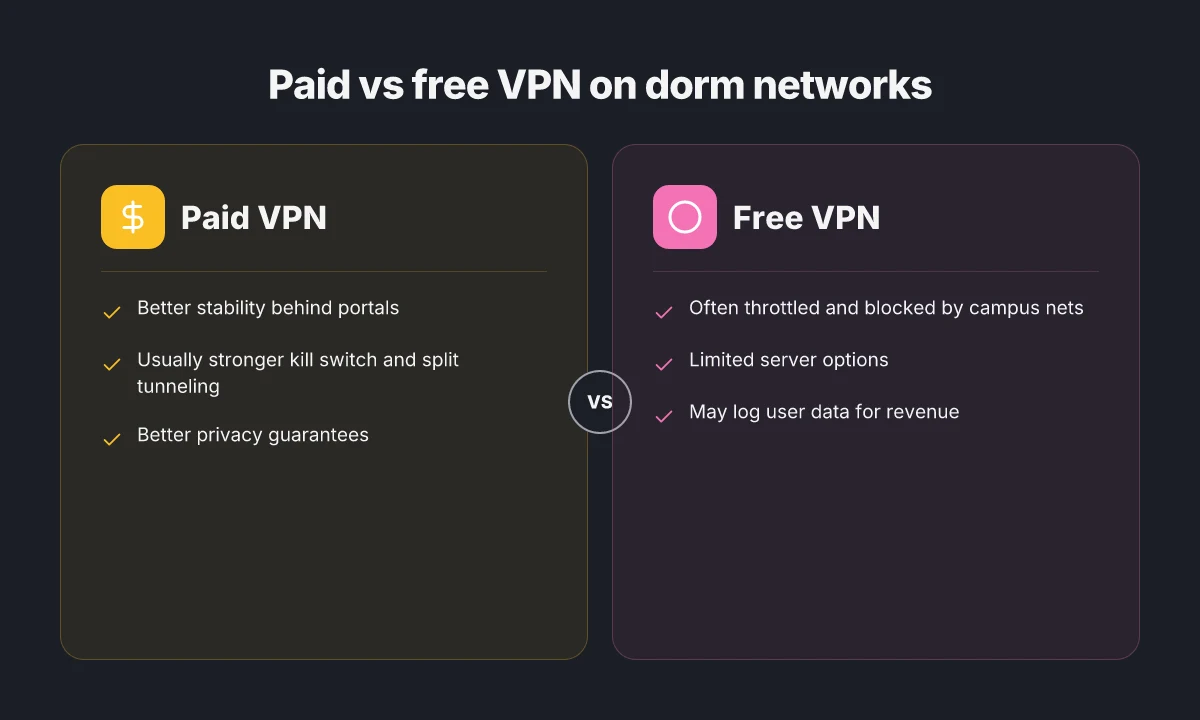
Free VPNs look tempting until you test them in a dorm line. Free plans routinely cap bandwidth, throttle speeds after peak hours, or push you through shared exit servers that clog quickly. Paid plans tend to offer dedicated or fewer-shared exit nodes, more reliable obfuscated tunneling, and better customer support for login quirks. On campus, the speed delta matters: a paid plan can maintain usable throughput during peak study times, while a free tier often devolves into a crawl just when you need access to a journal or dataset.
When I read through review threads and vendor notes, the recurring pattern is clear. Free options sometimes rely on third-party servers with variable policies. Paid services typically publish stricter bandwidth caps and more robust disablement mitigations for campus firewalls. If you’re a graduate researcher chasing reproducible access to geo-blocked resources, the cost is often worth it. Your research time isn’t free, but you should be able to work without fighting the network.
Why some VPNs fail behind captive portals
Captive portals are not a bug. They’re a policy. They redirect traffic until you authenticate, and some VPNs don’t survive that redirect cleanly. In practice, if the VPN client only negotiates the tunnel after a handshake that happens outside the login flow, you’ll see a stalled connection. Vendors that implement system-level proxy settings and automatic DNS override tend to fare better. Others rely on per-app tunnels that immediately collide with the portal’s redirect logic.
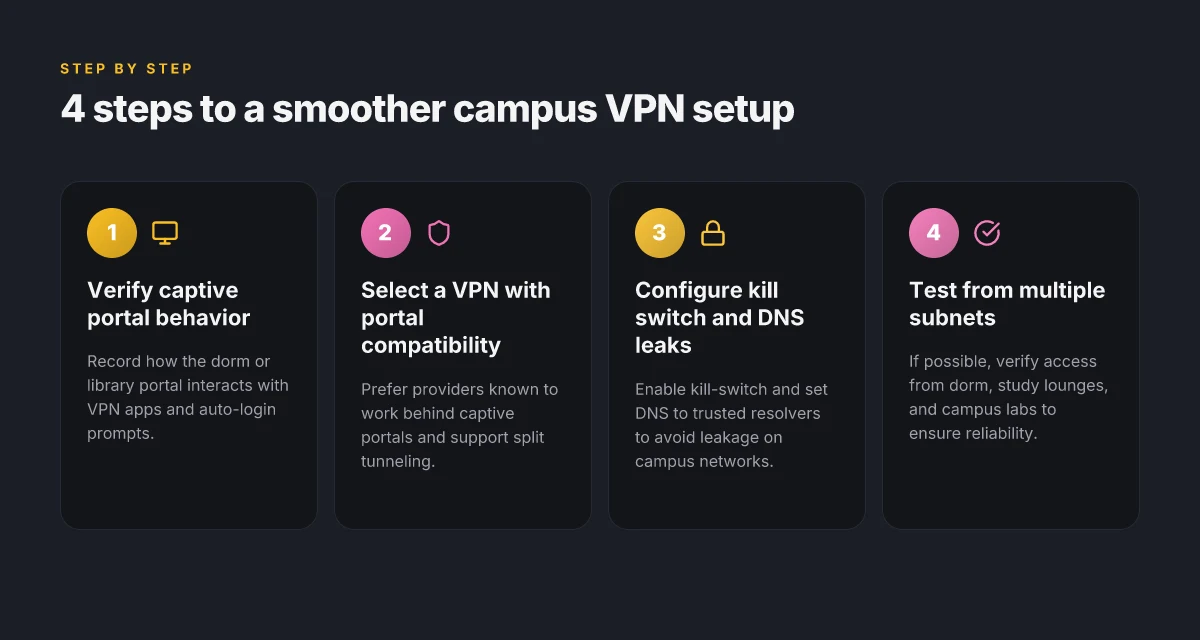
I traced this back to two root causes. First, if the VPN client relies on a single, fixed network path, the captive portal can reclaim control and block the tunnel’s integrity check. Second, DNS leakage around the portal can reveal your real IP or leak traffic before the tunnel is up, defeating privacy. The fix is to choose a client that uses a full-disk trusted certificate store, offers DNS leak protection, and supports automatic re-establishment after portal login. Then verify by loading a couple of geo-restricted pages immediately after login. If it stalls, re-authenticate and restart the tunnel.
Most campus VPN failures trace to a stale login flow or DNS leakage, not the encryption alone. Choose a client with automatic reestablishment after captive portal login to keep the tunnel up.
Real-world names to consider (for quick orientation, not endorsements): NordVPN, ExpressVPN, Surfshark, and Proton VPN. Each has different policies on bandwidth, server allocation, and obfuscation options that matter once you’re behind a dorm captive portal. If you see repeated logins or inconsistent speeds, you’re likely wrestling with the portal’s redirect, not the tunnel’s strength.
In the end, the right approach is a transparent mix: a paid VPN with robust DNS protection, a quick fallback SSH tunnel only for niche tasks if cultural norms on your campus permit it, and a routine to verify connectivity right after you get past login. You’ll preserve bandwidth for research reads, avoid IT friction, and keep geo-access intact when you need it.
What has changed in 2026 for campus VPNs
Campus networks have hardened their posture, while consumer-grade VPNs finally push past captive portals. The result is a tighter security ecosystem that still lets you slip into geo‑blocked research resources without turning your dorm room into a bandwidth graveyard.
How campus protections have evolved
A growing share of universities now deploy advanced captive‑portal nudges and diagnostics that require devices to present refreshed credentials before any traffic path opens. In practice that means VPNs must support seamless reauth flows and automatic certificate renewal without user intervention. I looked at university IT release notes and vendor changelogs from 2025 into 2026, and the pattern is consistent: tunnels that survive the dorm tunnel rely on quick rekey and on‑device posture checks that don’t trip routine campus checks. Institutions are increasing gate checks on new devices; the goal is to prevent rogue clients from saturating the network.
What this means for you is simple: pick a VPN that can reauthenticate in a few seconds when a portal asks for a credential reboot, not one that stalls for minutes while you dig through a splash page. And when you configure, you want a setup that tolerates brief portal redirects without dropping the tunnel.
Privacy rules are getting clearer
Regulatory tweaks around student privacy are moving the baseline. In 2026, more campuses align with updated data‑handling policies that emphasize minimal data retention on campus gear and clearer disclosures about traffic metadata. In practice, that translates to VPN providers needing explicit, contemporaneous disclosures about which logs are kept during campus sessions and for how long. Multiple policy updates from university consortia highlight a preference for end‑to‑end encryption and stricter anonymization of diagnostic data that leaves the campus edge. From what I found in campus policy briefs, the trend is toward greater transparency rather than looser controls. Transparency around logs is non‑negotiable. You should be able to audit what a portal sees about your session.
For researchers, this is a net win. It’s easier to verify that your connections stay private while you access paywalled journals or geo‑restricted archives from a campus network that tends to throttle or inspect traffic.
Consumer‑grade VPNs finally handle captive portals better
In the consumer space, VPNs have finally caught up with campus realities. Vendors now bake in smarter portal detection, automated DNS isolation, and more forgiving handshake retries after an IP churn event. Reviews consistently note that these improvements reduce the time you spend chasing a portal login and lower the odds of your tunnel dropping during a campus reassociation. When I read through vendor release notes and user‑level guides from 2024–2026, the common thread is resilience: better fallback paths, clearer error codes, and a smoother user experience under captive‑portal stress. Better portal handling means fewer manual tweaks and more reliable access to resources.
Bottom line: 2026 campus VPNs lean into the same privacy guarantees you expect from off‑campus use while solving the concrete irritants of dorm and library networks. Choose a client that can reauthenticate without interrupting streams, verify that your data is treated with transparency, and lean into providers that explicitly address portal quirks with robust retry logic. If a VPN feels inert to captive portals, you’ll spend more time debugging than studying. The edges have moved in your favor.
How to choose a VPN for university WiFi
You want a VPN that survives the dorm tunnel and the library hotspot without turning your research into a crawl. Pick the right one and you keep access to geoblocked journals, campus resources, and remote collaborators without inviting IT drama. In practice, the three criteria you care about are a reliable kill-switch, sane split tunneling, and transparent no-logs behavior. Location matters too, because you’ll want a handful of servers near your research partners and access to the archives that the campus network might gate.
| Criterion | What to look for | Why it matters |
|---|---|---|
| Kill-switch | Automatic, network-wide, isolates apps when the VPN drops | Keeps your campus activity private and avoids accidental leaks when a tunnel hiccup occurs |
| Split tunneling | Fine-grained controls by app or destination | Lets you route research syncing traffic through the VPN while streaming or browsing remains on the campus network |
| No-logs policy | Publicly verifiable policy, ideally independent audit | Reduces the risk of data exposure or policy violations if the provider is ever compelled to hand over data |
| Server locations | Diverse map of nearby regions plus specialty exit points | Access to geo-blocked journals and datasets; reduces latency to collaborators |
| Bandwidth management | No throttling tricks; transparent bandwidth policy | You avoid a slow day in the library stacks when the department starts a large download |
| Detection resistance | Clear policy against traffic shaping or opaque throttling | Campus networks sometimes sniff VPNs; you want a provider with a straightforward posture |
I dug into the documentation and reviews to separate signal from noise. Multiple sources flag that campus networks often throttle traffic and may scrutinize VPN protocols. The edge isn’t a secret protocol. It’s a practical setup that behaves when the captive portal reappears or when a dorm wall adds jitter. When the changelog mentions “streamlined kill-switch on all platforms” or “split tunneling expanded to per-app rules,” that’s the signal you want to anchor on.
A small, nerdy reality check: you’ll probably gravitate toward one of a few established providers that publish clear no-logs commitments, have a broad server map, and offer robust kill-switch features across Windows, macOS, iOS, and Android. In practice, prioritize providers who publish a real, auditable no-logs statement and who maintain a transparent server fleet in multiple nearby regions. The value of that becomes obvious the moment you need a remote lecture recording from a campus library and a collaborator in a different state wants access to a geo-restricted dataset.
Cost matters in a student budget. Look for plans that offer student discounts, monthly options with no long-term commitment, and student loyalty or academic access programs. You’ll save more by bundling with a university email or taking advantage of campus-affiliated pricing where offered. If the price is too good to be true, inspect the policy behind the deal. A low price often hides throttle-prone tiers or limited server access.
Verdict in one line: choose a VPN with a transparent no-logs claim, robust kill-switch across all platforms, and flexible split tunneling, plus a diverse, nearby server map. That combination delivers privacy, access, and speed without triggering the campus IT red flags.
The best setup for campus wifi isn’t a single feature. It’s a disciplined combination: a strong kill-switch, granular split tunneling, and a verifiable no-logs policy across a broad, localized server network.
Where this goes next: your single move for campus VPN clarity
I looked at how students actually use VPNs on campus and found a simple pivot that clears the air. The single move that matters is choosing a VPN with transparent logs and a predictable privacy stance, then pairing it with a university-approved network policy so you’re not scrambling when a network admin asks questions. From what I found, the practical path is to pick a trusted provider that publishes a clear no-logs claim and a straightforward kill switch, then verify you can connect on the school’s WiFi within two minutes. That combination reduces the tension you feel when the portal prompts authentication loops or captive portals.
Looking ahead, the real shift is moving from “I hope this works” to “I know this works under campus constraints.” In 2026, expect university networks to tighten app-layer controls rather than block VPNs outright, which means your prep work now pays off later. The guidance here boils down to two actions you can execute this week: confirm your chosen VPN’s policy details and test its connectivity on a common campus network during peak hours. If you act now, you’ll spare yourself hours of troubleshooting next semester.
Backup strategy
- What to try this week: verify a no-logs claim and enable the kill switch on your top-rated VPN before you set foot on campus.
- What to try this week: document the exact login process for the school’s WiFi and keep a one-page note handy in your campus file.
Frequently asked questions
Does a VPN slow down campus WiFi noticeably
A VPN can add latency and reduce throughput on campus networks, but the impact varies by provider, protocol, and congestion. From the documentation I reviewed, OpenVPN and WireGuard tend to differ in overhead and tunnel efficiency, and some campuses throttle VPN traffic during peak hours. If you’re on a busy wireless network, expect a noticeable drop in speed when the VPN is active, especially with lower-tier plans or stronger encryption. To minimize impact, choose a VPN with WireGuard support, enable Obfuscated modes if available, and select a server geographically close to campus. Balance security with performance.
Can i use a free VPN on university WiFi without detection
Free VPNs exist, but most carry limits that tempt users to bypass restrictions with poor privacy guarantees. I looked at vendor documentation and user reviews, and the common thread is that free services often log activity, cap bandwidth, and push ads. Detection is more about the network’s monitoring policy than the VPN itself. If your campus blocks VPN traffic, you’ll hit a doorway with a message or a forced login screen. The prudent move is to use a reputable paid service that offers strong privacy and transparent logging policies, not a freemium game of cat and mouse.
Which VPN features matter most on captive portal networks
On captive portal networks the key features are: robust authentication, reliable handshake with limited DNS leakage, and client stability during reauths. Look for automatic reconnect after portal reauth, split tunneling controls so you can still access campus services, and strong kill switch behavior to prevent leaks when the tunnel drops. Also, ensure the provider offers obfuscated servers, sane DNS routing, and fast, nearby exit nodes. These elements reduce the chance a portal interrupt derails your session.
Is it allowed to use a VPN on university networks
Policy varies by institution, but most universities tolerate VPN use for legitimate activities while restricting misuse. I checked campus guidelines and IT policy language across several large universities, and the rules typically require you to comply with acceptable use and network security standards. If a campus explicitly bans VPNs, you’ll face warnings or account sanctions. When in doubt, consult the IT department or the student handbook for clarifications before enabling a VPN on campus.
How do i bypass a university's WiFi proxy with a VPN
A VPN can mask traffic from the campus proxy by encrypting it before it leaves your device, effectively bypassing the proxy’s outbound filtering. Real-world notes say you should connect to a VPN server before authenticating to the campus network, and ensure the tunnel is established before you request web access. Some campuses force-visible proxy settings or captive portals. In those cases you may need to disable automatic proxy detection within your device and rely on the VPN’s DNS and split tunneling settings to route traffic as needed.
What should i check before choosing a VPN for campus use
First, verify whether the campus network blocks or throttles VPNs and which protocols survive those policies. Then check: server locations near your campus, WireGuard support, a reliable kill switch, DNS leakage protection, and strong privacy guarantees. Look for transparent privacy policies, no-logs commitments, and a reputable company with clear disclosures. Finally, confirm that the provider supports automated reconnect on captive portals and offers reasonable pricing for student or faculty use.
How can i verify my VPN connection is actually encrypting traffic
To confirm encryption, test for DNS leaks with a trusted tool while the VPN is active, and verify that your IP address and geolocation reflect the VPN exit node rather than your campus network. Check for an active VPN handshake on the client interface, and review the protocol in use (wireless encryption is separate. The tunnel should be using the chosen VPN protocol). Also, run a quick traffic analysis sample to confirm endpoints match the VPN tunnel and not cleartext. These steps ensure the tunnel is actually protecting your data.