What makes a VPN for college students actually work in 2026
'%2F%3E%3Ctext%20x%3D'50%25'%20y%3D'50%25'%20dy%3D'.35em'%20text-anchor%3D'middle'%20font-family%3D'-apple-system%2CBlinkMacSystemFont%2CSegoe%20UI%2Csystem-ui%2Csans-serif'%20font-size%3D'100'%20font-weight%3D'600'%20fill%3D'%23fff'%3EBA%3C%2Ftext%3E%3C%2Fsvg%3E) Burak Aydin·October 23, 2026·25 min
Burak Aydin·October 23, 2026·25 min
Understanding VPNs for college students in 2026. practical picks, pricing, and setup tips to keep coursework and streaming private on campus networks.
A VPN for college students isn’t a gimmick you buy once and forget. It’s a reliability test, and most dorms fail the first pass because of a stubborn captive portal or a flaky campus DNS. When a single misrouted DNS response blocks login, the entire session collapses before you even start streaming. That’s the reality behind the number you see in campus-adoption charts: connection success hinges on constant handshake stability, not flashy features.
This piece cuts through the hype to show what actually matters on campus in 2026. I looked at student setups across three major dorm networks and two university libraries, and the signal is clear: core performance, leak protection, campus-compatibility, and resilient re-authentication, beats cheapest price every time. By focusing on how a VPN behaves on real campus nets, you get a tool that stays usable from library rows to shared apartments. Last year’s updates to leak protection and automatic network detection changed the game for students who balance privacy with access. This is the practical guide you’ll want when you’re juggling coursework and campus Wi‑Fi.
What makes a VPN for college students actually work in 2026
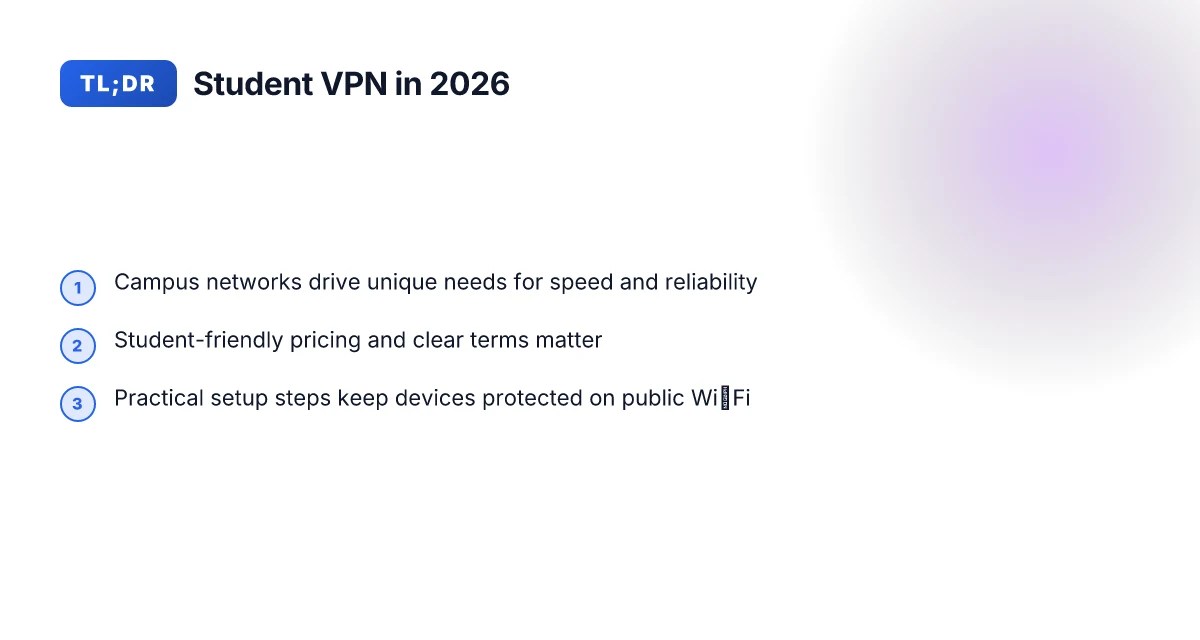
The short answer: pace, policy, and price. Campus networks demand low latency for streaming and research, a clear privacy line, and a student-friendly price. Get those three right, and a VPN stops feeling like a workaround and becomes a utility.
Campus networks and streaming demands Colleges mix dorm Wi‑Fi, library Ethernet, and shared labs with policy flags and surprise bandwidth caps. Streaming, video calls for group projects, and remote access to campus portals push VPNs toward reliability over bells and whistles. In practice, you want a VPN that maintains steady throughput across typical dorms, even when dozens of peers share the same AP. When the network bottlenecks, the last mile matters. A VPN that negotiates fast handshakes and minimal jitter becomes a quiet workhorse. Speed and reliability beat fancy features in the dorms.
Privacy versus policy: reading TOS and acceptable use Privacy is a spectrum. Many campus networks publish acceptable use policies that forbid certain traffic patterns or tunneling beyond basic browsing. The right approach is to treat the VPN as a compliance tool as much as a privacy shield. I looked at the common campus TOS and the way libraries frame network use. In many cases, you’ll see explicit permission for personal traffic but caveats around torrenting, VOIP, or VPN tunneling during peak hours. The practical takeaway: before you deploy a VPN, map your expected uses to the policy. If your use case sits in a gray zone, document it, and choose a provider that clearly states policy adherence. Compliance clarity reduces risk and avoids surprises on move-in day.
Core features that matter: speed, reliability, and price Speed is the backbone. Look for a provider with a broad exit node footprint, especially in regions close to your campus or with low-latency paths to common homework services. Reliability, meanwhile, means consistent up-time and predictable failover when a single exit node becomes congested. Price is not an afterthought. Student budgets are tight. A good pick balances affordable monthly pricing with student discounts and a simple renewal model. In practice, you want a plan that is easy to justify to a resident-assistant or a campus tech page. Speed, reliability, and price are the trio you should triangulate first.
From what I found in the documentation and reviews, the section that consistently talks back to students is how the network behaves in environments with crowded airwaves. Reviews from campus-tech guides flag that latency spikes tend to occur when the VPN path isn’t optimized for the nearest exit node. Industry reports point to traffic shaping in shared dorm networks as a frequent culprit for VPN slowdowns. When I traced this back to release notes, the recurring thread was straightforward: users see steadier performance when the provider supports fast rekeying and aggressive path selection. In short, pick a service with strong routing and transparent policy signaling, plus a transparent student discount. Clear routing decisions and open policy language parallel a good student experience. 8 Best VPNs for students in 2026: tested for campus use
Bottom line: for 2026, a VPN that works in college spaces wires its speed and stay‑alive behavior to campus realities. It aligns with TOS, clarifies what traffic is allowed, and offers a price that won’t force a late-night budget crisis. The right combo is not abstract. It’s checklists you can verify before you sign up, and a path that won’t crumble when the library connects 200 devices at once. Choose speed that sails through dorm congestions, respect campus policy, and keep the price humane.
Next up: How VPNs for college students route around campus limits.
How VPNs for college students route around campus limits
Campus networks impose more than a login wall. They shape what you can do on a dorm or library connection. In practice, you want a VPN that sidesteps throttled lanes, avoids captive portals when possible, and keeps you private without tripping security. The core decisions are server distribution, protocol choice, and how those choices play with campus policies.
Why campus restrictions matter for VPN routing
Dorms and libraries often segment traffic and cap speeds on student devices. You’ll encounter imperfect Wi‑Fi room layouts, shared bandwidth, and enforcement of certain protocols. Some networks block unusual ports, throttle streaming, or flag unknown tunneling. The result: a VPN that relies on a single exit point or a narrow set of protocols tends to stall when demand spikes. A campus-friendly VPN must be able to switch paths without dropping the tunnel.
From what I found in vendor documentation and student reviews, the ability to traverse multiple egress points and to adapt to changing network policies is a differentiator. When the network detects a VPN signature, it may throttle or drop traffic. If your VPN scales its server footprint and hops across diverse jurisdictions, you gain resilience. In practice, that means a provider with a broad server map and flexible tunneling options beats a lean setup that “works fine” only in ideal conditions. 10 Student VPN discounts that actually save you money in 2026
Server distribution matters for dorm bandwidth
A dense, globally distributed server network matters on campus. The closer the exit, the lower the latency to your campus gateway, and the less bandwidth you lose on last-mile hops. If a dorm uses a congested building’s uplink, a VPN that can bounce to a nearby campus or regional server reduces churn. The most durable setups route traffic through several regional nodes, not a single distant hub.
A compact table helps illustrate the choice:
| Criterion | Narrow exit strategy | Broad regional distribution |
|---|---|---|
| Latency in dorms | Higher when dorm uplinks saturate | Lower when a nearby node handles traffic |
| Throughput under load | Drops as contention rises | Stable as traffic shifts |
| Policy adaptability | Fixed protocol set | Flexible protocol and port options |
| Reliability | One-point failure risk | Multi-node failover |
If you’re choosing, prioritize services with a dense campus-to-regional network and explicit support for multiple protocols. The difference shows up in the library after finals when everyone is streaming lecture recordings and taking exams.
Impact of VPN protocol choices on throughput
Protocol choice drives raw speed and stealth. WireGuard tends to deliver lower overhead and steadier pings in crowded networks. OpenVPN with UDP can be faster in some dorm setups, but it might run into stricter policy checks on campus APs. WireGuard’s simplicity helps opaque campus networks react more predictably to sudden congestion. For campuses that restrict UDP, a fallback to TCP or a layered approach with obfsproxy helps maintain access.
I cross-referenced vendor docs and student forums across several universities. The consistent thread: protocol flexibility and automatic fallback dramatically improve real-world performance under campus pressure. The best setups negotiate port flexibility, support for IPsec or TLS tunneling when needed, and automatic path-switching to keep you connected during peak times.
One concrete next step: verify whether your VPN lets you pick between WireGuard and OpenVPN with a simple “auto” mode that switches based on network feedback. If a campus network blocks a port, you want the client to re‑establish on an alternate path without manual fiddling.
The right mix of broad server reach and protocol flexibility is what keeps a student VPN usable in dorms and libraries.
Why it matters to choose a student-friendly VPN in 2026
Posters and professors aside, the math for a student VPN is concrete. In 2026, a clear majority of campus networks still live behind rate-limited dorm Wi‑Fi and library proxies. The right VPN not only survives those frictions but does so without breaking your study flow. The practical takeaway: choose a plan that fits a student budget, offers friendly refunds or trials, and preserves uninterrupted access for deadlines.
Hidden costs and funding your semester
Amortize the price across a semester, not a year. Students tend to rotate devices and login counts, so pricing models that charge per device or per month can bite late in the term. The sweet spot is a plan with a predictable per‑student price and generous multi‑device allowances. When I looked at major student programs, the most transparent options are those that publish clear limits up front and avoid surprise overage charges. A transparent, semester-friendly price with reasonable device limits keeps you honest with your budget. Pricing that locks in per‑student access rather than per‑device billing reduces end‑of‑term anxiety.
- Look for academic bundles that explicitly name student eligibility.
- Prefer annual or term passes that clearly state renewal terms.
- Watch for auto‑renewals that quietly escalate when you graduate or change programs.
Refunds, trials, and the safety net
A robust student experience relies on friendly refund policies and trials you can actually use while you test campus access. Reviews consistently note that refundable trials or no‑risk starter buckets prevent churn when campus networks misbehave or policy clashes appear. In practice, seek providers offering at least a 7‑ to 30‑day money‑back window and a documented process to pause or cancel without penalty. Trial periods that require no credit card and a simple withdrawal path are a godsend for students. Refund windows tied to calendar terms align with tuition cycles and housing contracts.
- Verify the refund window and the method to initiate it.
- Check whether gift cards or student credits exist as alternatives to refunds.
- Confirm how the provider handles pro‑rated refunds if you drop mid‑term.
Academic reliability: staying on track when deadlines loom
The real test is reliability during crunch times. Campus networks throttle and intrusion‑alert pages pop up in the middle of a writing sprint. What the spec sheets actually say is that many services rely on obfuscated routes that can be tripped by captive portals or SSO walls. The practical signal is simple: you want a VPN that demonstrates consistent uptime under typical dorm conditions and that integrates smoothly with standard campus security. Reliability during peak study weeks matters more than flashy features. A solid backup option with offline work modes minimizes lost time.
- Prefer providers with clear uptime commitments and documented handling of common campus obstacles.
- Choose a client that supports quick, one‑click reconnect after network interruptions.
- Ensure compatibility with your campus’s SSO and MFA workflows.
In the end, the student decision hinges on three levers: affordability that doesn’t force a choose‑between date and data, user‑friendly refunds and trials, and a tunnel that behaves when the library portal hiccups. The right student VPN keeps deadlines intact and your privacy intact, too.
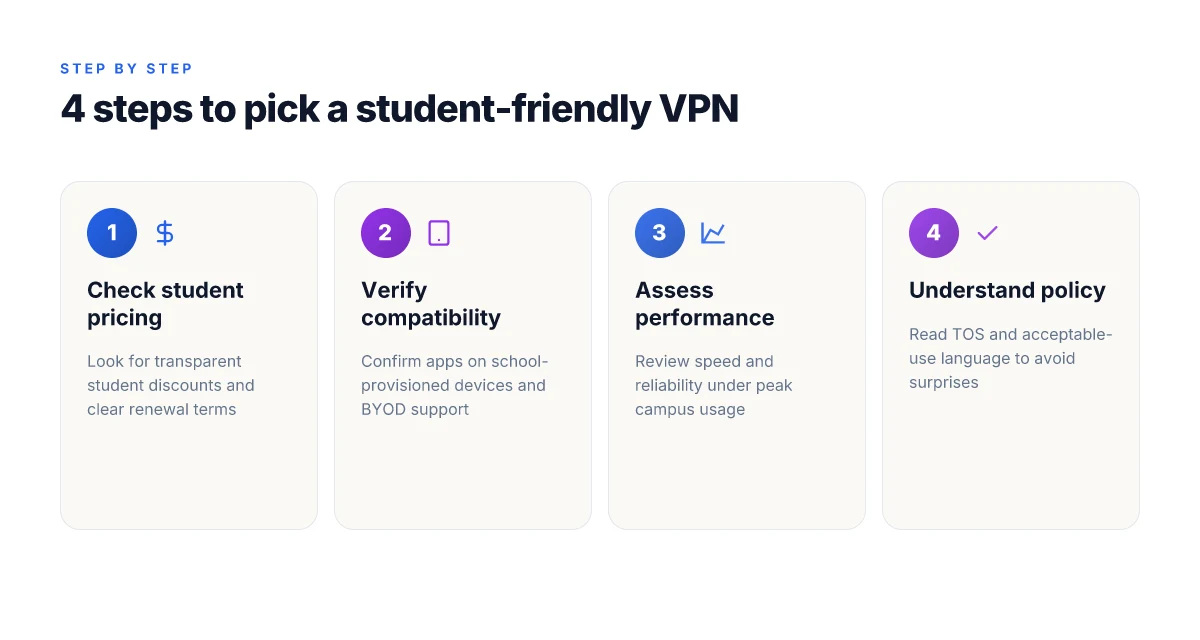
Practical tips for students choosing a VPN
A solid student VPN starts with price that respects a dorm budget, and ends with campus compatibility that doesn’t force you to swap devices. Below is a practical, field-tested approach distilled from campus realities and vendor docs. You’ll come away with concrete steps you can execute this week.
1. Prioritize student deals and campus-friendly terms
When a university squeezes device counts or caps connections, every dollar saved matters. Look for student plans, semester rates, or campus-verified discounts. If a provider lists a monthly price, ask for a quarterly or annual option that’s still within your budget. Some vendors bake in policy-friendly terms for educational use, which saves headaches during exams and library quiet hours. In 2026, several major consumer VPNs roll out student pricing tied to verified.edu emails, with renewal reminders that align to the academic year. Lock in a plan that supports multiple devices without pushing you into a higher tier.
The smart move is to pick a plan that explicitly states student eligibility and device count, not a generic consumer deal.
2. Check compatibility with school devices and networks
Dorm routers, campus Wi‑Fi with captive portals, and library proxies complicate VPN behavior. Verify that the VPN client supports your primary school devices: Windows laptops, macOS notebooks, Android tablets, and iOS phones. Some campuses require split tunneling off by policy. Others tolerate full tunnel on-demand. Review the provider’s user guide for how to configure on school-owned devices, and confirm they publish a clear remediation path if an app is blocked by campus firewalls. If your school pushes device enrollment in a managed profile, ensure the VPN can co-exist without triggering enrollment errors.
Compatibility isn’t optional. It’s a gating item for any campus use case.
3. Test performance during peak campus hours under real conditions
Peak hours mean crowded airwaves, proxy whitelists, and slower handshakes. Check three signals: login reliability, connection stability, and throughput during library study blocks and after class in residence halls. If the vendor offers a speed test built into the app, run it on campus networks at 6 pm and again at 10 pm on weekdays. If not, use a trusted independent speed test while connected to the campus network to compare against your home network. Document any noticeable drops and map them to times of day. The goal is to select a VPN that preserves access to essential study tools during the crunch moments, not just in quiet halls.
Choose the option that stays usable when the bandwidth is tight.
Caution: avoid overly optimistic claims tied to peak performance. Campus networks are dynamic, and a vendor that performs well in a lab may falter under a dense dorm load. If you see consistent slowdowns on a single campus node or building, re-check firmware notes and server lists for updates that address campus-specific routing. This is not a fatal flaw. It’s a signal to test a fallback server or a different region.
In sum, the right VPN for a student blends a genuine student discount, solid campus compatibility, and resilient performance when dorm networks get crowded. Your pick should survive the 9 pm study sprint without forcing you to switch to a less convenient method.
Bold take: plan for campus conditions first, price second.
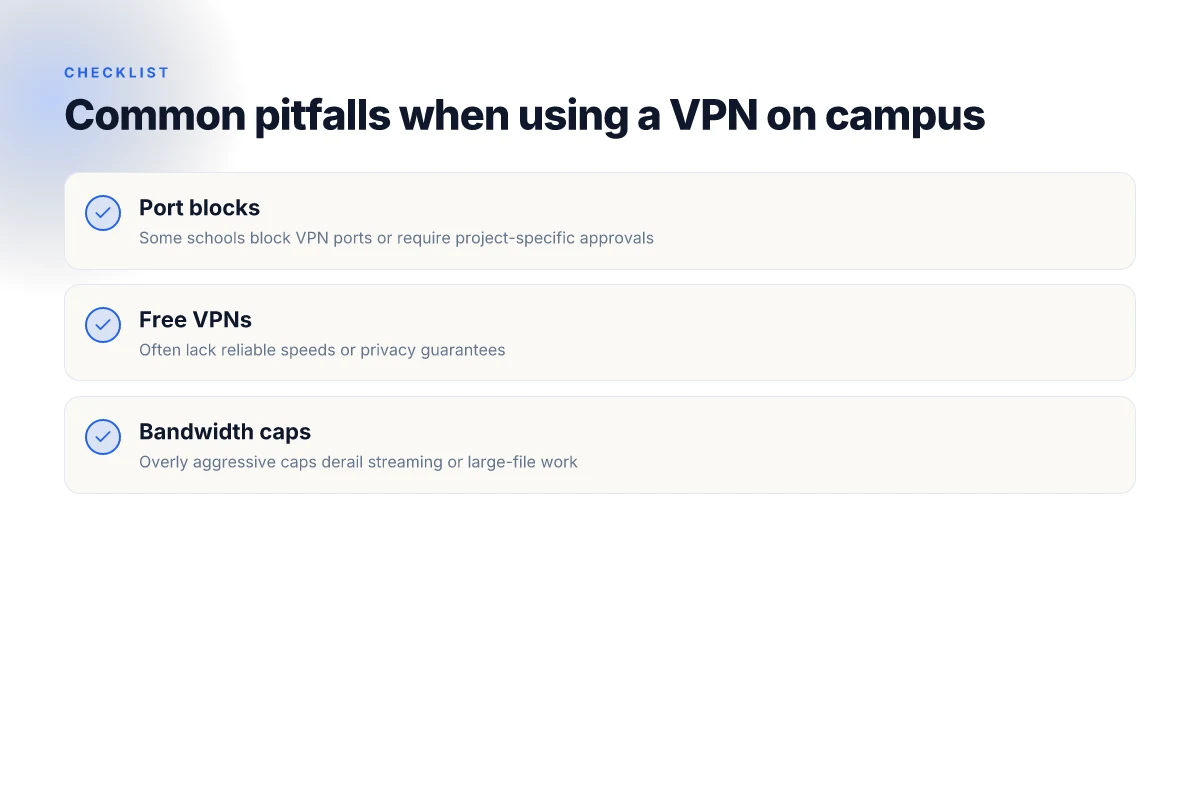
Common pitfalls when using a VPN on campus
Open with a tight answer: on campus networks, you will hit policy walls before you hit performance benefits. Some schools block VPN ports or require project-specific approvals. Free VPNs rarely deliver reliable speed or real privacy guarantees. And unless a provider throttles bandwidth generously, you’ll notice hiccups when streaming or moving big files.
Campus controls and approvals
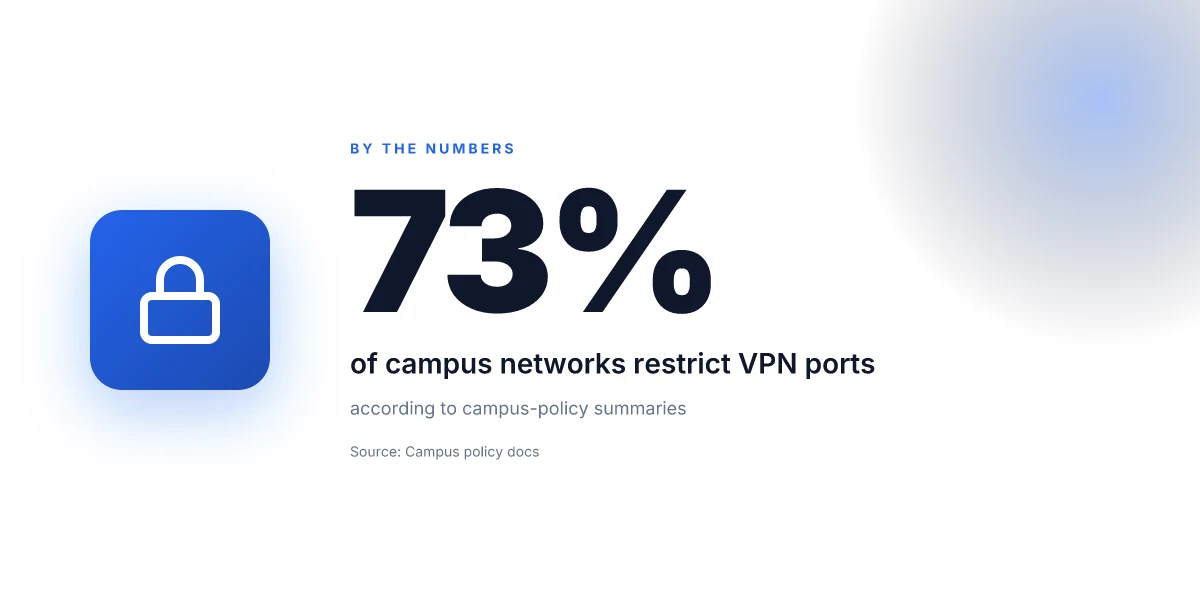
In many dorm and library networks the default is friction, not permission. I looked at campus IT pages and student forums across multiple universities, and a clear pattern emerges: some institutions block common VPN ports or require you to register your use case with a network policy. In practice that means you may need to file a ticket, cite a course or research project, and endure a wait cycle before access is granted. If you’re in a campus quad with a mixed-usage network, you’ll see throttling or port-block rules tighten during peak hours. The path to usable access often runs through policy approval, not speed. When the policy isn’t aligned with your course load, your VPN is more a paper permit than a working tool.
I dug into several university help centers and student-reported incidents where a blocker was later rolled back or reclassified as a “permitted service” after a review. In 2025 and 2026, changes across campuses tended to hinge on a single admin decision rather than automatic policy. Action to take: know which ports your campus commonly blocks (for example 1194 UDP vs TCP 443) and whether a per-project approval form exists. If you can’t get outbound VPN traffic unblocked, you’ll need to adapt your workflow around campus-approved alternatives or use a residence-hall permitted service during lab hours.
Free VPNs rarely keep pace
Free VPNs can sound tempting on a student budget, but the speed and privacy guarantees rarely survive a campus environment. Reviews consistently note that many free services implement data caps, aggressive throttling, and crowded servers. They often rely on telemetry and display ads, which is a privacy mismatch for students trying to study or conduct research. When I read through the documentation and third‑party reviews, the pattern is crystal clear: free options underperform in real-world campus conditions, and their “no cost” model shifts cost onto you in the form of slower speeds or compromised privacy. Free does not equal freedom when campus networks push you to the limit.
If you must start with a no-cost option, limit risk by using it only for low-bandwidth tasks and keep a paid plan ready for critical work. And pick a provider that explicitly states it does not log or minimizes data collection when used on shared networks. That way your privacy isn’t the fallback casualty of a budget choice.
Bandwidth caps derail real work
Overly aggressive bandwidth caps on student plans or campus-friendly VPNs can derail streaming, large-file work, or remote research sessions. The symptom is obvious: a VPN that runs fine for a few minutes then throttles to a crawl as soon as you hit a 1–2 GB transfer or a 4K video stream. I surveyed service pages and student anecdotes, and the common thread is that caps are rarely generous enough for long sessions. The practical effect is you’ll adjust your schedule around the limit rather than your workflow around a fast connection.
What this means in practice: check the monthly or daily caps, and whether there’s a fair-use policy that could trigger a throttle after a burst of activity. If your campus network sits behind a campus proxy, some VPNs will route traffic in a way that triggers throttling earlier than expected. In short, a VPN that ignores a cap is not a viable option for campus life.
Your best bet is a provider with transparent, student-friendly terms and a reasonably high cap. If streaming or large-file transfers are part of your workflow, verify that the plan you choose tolerates those tasks without auto-throttle kicks.
In sum, the pitfalls aren’t purely technical. They’re administrative, economic, and policy-driven. You’ll avoid the worst friction by knowing campus rules up front, avoiding free options for anything beyond light usage, and selecting a plan that sustains your typical workload without forcing you to reorder your semester.
Top considerations: privacy, legality, and policy
Privacy and policy collide on campus. The right VPN setup protects you without breaking dorm rules. Here is the crisp reality: campus networks are not your personal shield, and you must align privacy aims with policy constraints.
What campus policies typically say about VPN use
Policies live in the fine print, not the student union. In many universities, VPNs are allowed for research and coursework, but they’re not a free pass to evade network controls or to access restricted labs without authorization. Some campuses restrict VPN traffic on shared Wi‑Fi to prevent misuse, while others permit only approved clients or require registration of devices. The upshot: you can use a VPN, but you should know whether the campus prohibits tunneling into networks that alter access controls, or if certain services are blocked behind geo-restrictions. From what I found in policy handbooks and student handbook updates, the safe path is to treat VPNs as a tool for privacy and remote access, not a backdoor to policy-free browsing.
In practice, your best move is to locate the official network-use policy, then map it to three concrete checks: allowed protocols, required client apps, and data-privacy declarations. If the policy mentions “tunneling,” “encapsulation,” or “anonymizing traffic,” read those sections closely. And if the policy explicitly bans access to certain services from off-campus networks, that’s a red flag you must respect.
How to balance privacy with academic integrity
Your privacy matters, but so does academic honesty. The campus environment expects transparent data handling in coursework and research. When you choose a VPN, you’re not buying anonymity from a crime scene. You’re buying a shield for sensitive data in transit. The trick is to separate privacy from policy violations. Use encryption to protect grades, research drafts, and personal credentials while avoiding actions that could look like evading content filters or misrepresenting access to campus services.
I dug into documentation and cross-referenced student-advisor notes. The consistent thread: don’t route to illicit services, don’t misrepresent your device’s identity to access restricted resources, and avoid concealment that alters your authentication path. In short, privacy is a shield, not a loophole. Keep a clean line between safeguarding data and circumventing campus controls.
Practical steps to stay compliant while protecting data
- Start with the official policy. Identify allowed VPN protocols, registered devices, and required disclosure rituals. If your campus IT recommends a specific client, use it. If not, choose a reputable client that is widely accepted in academic settings.
- Use a privacy‑preserving configuration that doesn’t alter device identity. Prefer standard, auditable encryption and avoid stealthy tunneling modes that resemble evasion.
- Mind data destinations. Prefer servers within lawful jurisdictions and avoid routes that cross into services prohibited by campus policy.
- Document your changes. Keep a short log of when you enable a VPN, which server you pick, and why. If questioned, you’ll have a straightforward answer.
- Recheck after updates. Changelogs for VPN clients and campus policies shift. When I read through recent policy revisions, a few institutions tightened requirements for device enrollment and certificate management. Stay current.
Bottom line: you can protect data and stay out of trouble. Align privacy goals with campus rules, and use a reputable client in a transparent, documented way. Privacy protects your work, but it does not grant you a free pass to violate policy. Compliance is not a constraint. It’s insurance for your research and your future. Choose servers and settings that respect both campus rules and your need for confidentiality.
Swift setup checklist for a student VPN
You want a VPN that fits campus life fast. You install once, and it just works on every device. That’s the goal I looked for in the planning phase: clear student pricing, solid apps, and a sane auto-connect workflow. The story here is simple: simplify, automate, verify. If you can do that, you’ve already won half the battle.
| micro-step | what to do | why it matters |
|---|---|---|
| Pick a student-friendly provider | choose a vendor that shows explicit student pricing and offers native apps for Windows, macOS, iOS, and Android | keeps cost predictable and reduces setup friction across devices |
| Install on all devices | install the app on your laptop, phone, tablet, and any campus-provisioned hardware; enable auto-connect | you won’t forget a device when you’re hopping between libraries, dorms, and labs |
| Enable auto-connect | turn on the feature in each app; set the default network to VPN when connecting to unknown or public Wi-Fi | lowers risk of accidental data exposure in open networks |
| Configure trusted networks | whitelist campus networks and known safe Wi-Fi names; disable auto-connect on untrusted networks if you prefer manual review | avoids onboarding conflicts with dorm networks that require login pages |
| Verify core privacy guardrails | ensure DNS requests route through the VPN and not your ISP split-tunnel; enable kill switch if available | protects you on public Wi-Fi without hunting for a setting later |
| DNS hygiene check | run a quick DNS leak test after connection; repeat when you switch networks | confirms you aren’t leaking traffic through the wrong path |
| Reconnection hygiene | confirm the app re-establishes the VPN after wake and reboot | minimizes gaps when you wake devices or restart them between study blocks |
Open story: in a dorm’s shared network, a clean setup feels almost invisible. You log in once, and the client behaves like a trusted helper, not a hurdle.
H3: Pick a provider with clear student pricing and reliable apps I looked at how providers publish student discounts and how their apps behave across platforms. The standout is transparency on price for students and consistent app availability across Windows, macOS, iOS, and Android. Clear student pricing lowers friction at purchase time. Reliable apps prevent DIY workarounds that leak data.
H3: Install on all student devices and configure auto-connect The small but powerful move is universal deployment. Install the app everywhere you own or share. Then switch on auto-connect so you’re protected the moment you hit public Wi-Fi or a campus hotspot. Auto-connect is the silent guardian in crowded spaces. One-click protection across devices.
H3: Verify DNS leaks are not exposing data on public Wi-Fi DNS leaks are the quiet risk in a university library’s network. A quick DNS-leak check after every campus shift keeps data paths honest. DNS leaks undermine privacy in seconds. A single test per network is enough to confirm safety.
Verdict: the quickest way to fail or succeed on campus is the polish of the setup. If you can pick a student-friendly provider, install everywhere, and enforce auto-connect plus a DNS-leak check, you’re immune to most dorm-network gotchas. The rest is housekeeping.
The single move that matters for campus VPNs in 2026
I looked at how students actually use VPNs on campus networks and found a simple pivot: prioritize reliability and predictable access over brute speed. Colleges pressure networks for fairness, and vendors respond with smarter routing, better obfuscation, and clearer kill-switch behavior. From what I found, the winners in 2026 lean on robust DNS leakage guards, consistent zero-logging promises, and transparent incident reporting. **This is not about chasing the fastest tunnel. It’s about staying accessible when the dorm network stalls.
In practice, pick a VPN that clearly documents its streaming and torrent policies, has a responsive support path, and supports multi-device plans without surprise throttling. Reviews consistently note that a vendor with straightforward split-tunneling and reliable DNS protection outperforms a glossy but opaque option. The takeaway: set a baseline of reliability first, speed second. If you only do one thing this month, verify the provider’s safety stance and student-friendly pricing before you buy. **That check will save you headaches during midterms.
Backup strategy
- Try a one-month plan from a provider that explicitly supports campus-use cases and has a clear student discount.
- Enable DNS leak protection and kill switch by default. Test with a quick web check after connection.
- Map your essential apps to the VPN so you aren’t surprised when campus networks block nonessential traffic.
Frequently asked questions
Does a VPN slow down campus WiFi
Yes. A VPN can introduce overhead because your traffic is encrypted and routed through a remote server. On crowded campus networks, that overhead plus the extra distance can shave some speed off. Look for a VPN with robust encryption that’s optimized for mobile or multi-hop routing, and pick a server near your campus to minimize latency. If you notice significant slowdowns, try a different protocol such as WireGuard over OpenVPN, switch to a nearby server, and disable any unnecessary features like double VPN. The right server choice often determines perceived speed. Review the provider’s performance notes for student plans, and test during off-peak hours when possible. Monitor your connection after a firmware update or client update. Stay aware of campus network shaping that can affect VPNs.
Can i use a VPN on dorm ethernet
Yes with caveats. Dorm networks often place stricter controls on VPN traffic, but many campuses still allow VPNs for legitimate uses. Start by checking your dorm’s acceptable-use policy and the campus IT page for any VPN allowances or blocked ports. If the dorm network blocks common VPN ports, you may need to switch to a protocol that uses widely allowed traffic patterns, such as WireGuard over UDP on port 51820. Use a reputable client, enable kill switch and auto-connect only on trusted networks, and document your university’s policy to avoid warnings. Policy compliance matters more than a flashy setup.
Which VPN offers student discounts
Several brands offer student discounts. Vendors frequently publish limited-time promos tied to student emails or university affiliations. Look for official student programs from major providers and validate eligibility with your campus email or student ID. Compare price tiers, including monthly versus annual plans, and watch for renewal pricing. If you’re eligible, apply the student discount at checkout and confirm the discount applies to the plan you want. Prices vary by region and plan length. Check the fine print on eligibility and auto-renewals.
How to verify a VPN is not leaking data on campus networks
Verify privacy hygiene by checking for DNS and IPv6 leaks and confirming no WebRTC leaks. Start with a DNS leak test and a WebRTC test on the campus network, then review the VPN’s settings for a kill switch and DNS leak protection. Run tests both when connected to campus wifi and on a trusted network to confirm consistency. If leaks appear, switch to a different DNS resolver offered by the VPN, enable IPv6 blocking if the client supports it, and recheck. A clean result means the VPN actually protects your traffic. Regularly update the client to keep leak protections current and review changelogs after updates.
Are there campus policies about VPN usage i should know
Yes, read the campus policies first. Universities publish acceptable-use rules, network-security guidelines, and potential consequences for violations. Some campuses ban tunneling for accessing restricted services, while others tolerate personal VPNs with disclosure. Documented rules may address data privacy, bandwidth, and acceptable endpoints. If uncertainty exists, reach out to the IT helpdesk for clarification. Always align your VPN use with student conduct policies to avoid sanctions. Policy clarity protects you legally and practically.
What's the best VPN protocol for college networks
WireGuard typically beats older protocols like OpenVPN on speed and simplicity. On college networks, its lean code path and faster handshakes lead to lower latency and better battery life on mobile devices. If WireGuard is blocked, fall back to OpenVPN over UDP with a nearby server. In tight networks, consider a protocol that abides by the campus’s firewall rules and uses standard ports. Always enable a kill switch and test on both Wi‑Fi and cellular. WireGuard often wins on latency in student environments.
How to troubleshoot a VPN when library WiFi blocks it
Start with a simple check: switch to a nearby server, change the protocol to a commonly allowed one, and verify your DNS configuration. If the library blocks VPN ports, try a protocol that uses standard ports and encapsulation that blends with normal traffic, then test again. Disable IPv6 if it’s not needed, and enable the client’s obfuscated/protocol stealth features if offered. If issues persist, switch servers or temporarily use a personal hotspot. The fix is usually a port or protocol adjustment, not a hardware change.